A health check for our Oracle Database server with AHF
· 9 min read
A week ago we upgraded our production database from 19c to 26ai. It went well, but it left me with a question: is the server itself actually set up the way Oracle recommends?
So this week I installed AHF, the Oracle Autonomous Health Framework, and let it tell me.
Why AHF
Our database runs our Oracle APEX apps, the APEX Office Print (AOP) cloud, licensing and the customer portals (the setup is in the upgrade post), so I want to know about problems before our customers do. We know Oracle pretty well at United Codes, but that’s exactly why I like a second view, and AHF is Oracle’s own view on how your server should be set up.
AHF is Oracle’s own toolset for that. It comes at no extra cost with your Oracle support contract, and you download the latest version from My Oracle Support (Doc ID 2550798.1). It bundles a few tools, but these are the two I care about:
- ORAchk runs hundreds of health checks against the server, the database and the configuration, compares them with Oracle’s best practices and gives you a score with PASS, WARNING and FAIL.
- TFA (Trace File Analyzer) watches the alert logs and, when an ORA- error shows up, collects all the diagnostic files around it automatically. That’s exactly what Oracle Support asks for when you open an SR. And we have two SRs to open after the upgrade (the SQL transpiler and the Stripe certificate).
For a lot of our work we use Oracle Autonomous AI Database, and there Oracle does all of this for us. But we also like to have our own servers: for development, to have control over which versions we run, and to test things for customers on the exact setup they have. And on our own server, nobody runs these checks unless we do.
Installing it (twice)
The first time I did it wrong.
I downloaded AHF 26.10.2, unzipped it and ran the installer as the oracle user. It said “AHF is successfully Installed”, so all good, I thought. But look at this line of the output:
| Host          | Status of TFA | PID | Port    | Version     |
| uc-db-server  | RUNNING       | -   | OFFLINE | 26.10.2.0.0 |
No PID and the port is OFFLINE. Installed as a normal user, TFA has no background process. You can run orachk and tfactl by hand, but nothing watches the alert log and nothing runs on a schedule. Which is the whole point.
Then I noticed there is an orachk in the 26ai Oracle Home too, so I thought it came with the database and removed my own install. Wrong again: the orachk, tfactl and ahfctl in $ORACLE_HOME/bin are only small launcher scripts that look for an AHF installed somewhere else:
$ORACLE_HOME/bin/orachk -v
AHF is not installed on this system
Third time right. Install it as root:
unzip AHF-LINUX_v26.10.2.zip -d /tmp/ahf
cd /tmp/ahf
./ahf_setup
As root it installs in /opt/oracle.ahf and creates a systemd service oracle-tfa. Now TFA has a PID and a port, and it found the alert logs of both our CDBs (the old 19c one and the new 26ai one) by itself.
Some numbers, because I wanted to know what it costs:
- 1.2 GB on disk, and the repository with collected diagnostics is capped at 10 GB.
- The first scan took one CPU at 100% for about 1.5 minutes. After that it’s idle at 0.3% CPU and about 240 MB of memory.
Small tip: run the AHF commands as root, from /tmp (cd /tmp first), and use the ones in /opt/oracle.ahf/bin, not the launchers in the Oracle Home.
Scheduling ORAchk
AHF creates two ORAchk schedules by itself: a small daily one (the oratier1 profile, only the most critical checks) and a full weekly one. I only wanted them to check our 26ai CDB (cdb2), not the 19c one that we only keep for two old environments. So I changed the flags:
orachk -id autostart_client_oratier1 -set "AUTORUN_SCHEDULE=3 2 * * 1,2,3,4,5,6;AUTORUN_FLAGS=-usediscovery -profile oratier1 -dbnames cdb2 -showpass -tag autostart_client_oratier1 -readenvconfig;COLLECTION_RETENTION=7"

orachk -id autostart_client -set "AUTORUN_SCHEDULE=3 3 * * 0;AUTORUN_FLAGS=-usediscovery -dbnames cdb2 -tag autostart_client -readenvconfig;COLLECTION_RETENTION=14"
So Monday to Saturday at 02:03 UTC the quick check, and on Sunday at 03:03 UTC the full one. Two gotchas:
- The id is without the
orachk.prefix that you see in the-get alloutput. - If you only set
AUTORUN_FLAGS, you have to giveAUTORUN_SCHEDULEagain in the same-set.
The email that never arrived
The next morning the daily run had worked (score 90), but there was no email. In the mail log:
554 Message rejected: Email address is not verified ... oracle.ahf@uc-db-serverOur server sends mail through a relay that only accepts senders we verified, and AHF sends as oracle.ahf@<hostname> by default. The fix is to set a sender address the relay knows:
cd /tmp
tfactl set smtp          # set smtp.from to a verified address
ahfctl sendmail -to me@example.com -subject "AHF test" -body "test"
Note it’s ahfctl sendmail now, tfactl sendmail was removed in AHF 22.1. Cool, now it worked.
What ORAchk found
I didn’t want to wait until Sunday, so I ran a full check by hand (it only reads, so it’s safe during the day):
cd /tmp
orachk -usediscovery -dbnames cdb2 -silentforce -showpass -tag manual_full_cdb2
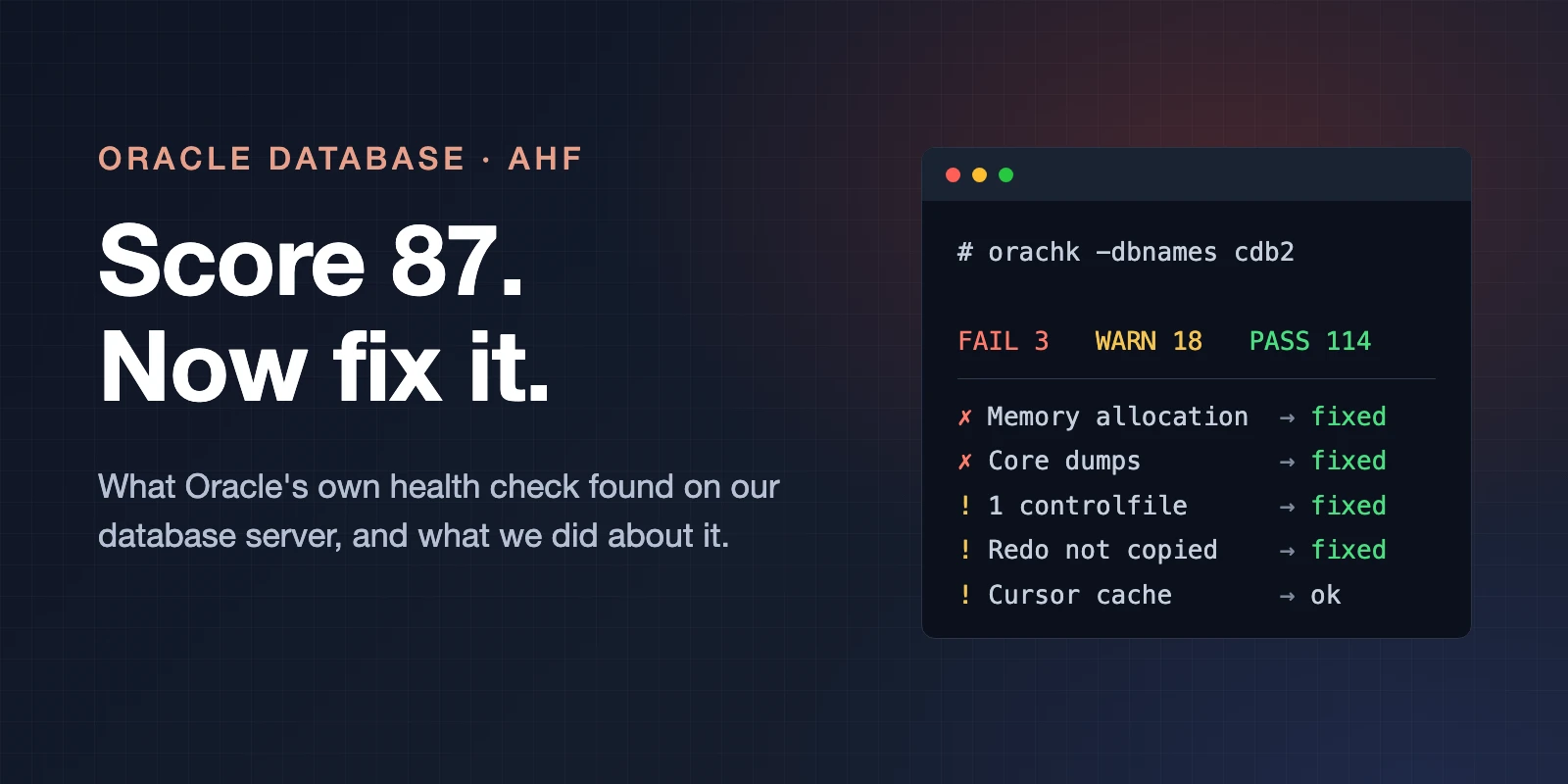
It took about 10 minutes. Result: score 87, 3 FAIL, 18 WARNING, 114 PASS.
That sounds worse than it is. Many warnings are about RAC, Data Guard, Clusterware and things that don’t apply to a single server. So the real work is reading the report and deciding what matters for your setup. These were the ones that mattered for us.
One controlfile, one copy of each redo log
All on the same disk. If that disk goes, we restore from backup. RMAN controlfile autobackup was on, so we wouldn’t lose the database, but ORAchk recommends a second copy of both on another disk, so you don’t need a restore at all. Cheap to do, so we did it.
The redo logs you can multiplex while the database runs:
alter database add logfile member '/u03/oradata/CDB2/onlinelog/redo04b.log' to group 4;
alter database add logfile member '/u03/oradata/CDB2/onlinelog/redo05b.log' to group 5;
alter database add logfile member '/u03/oradata/CDB2/onlinelog/redo06b.log' to group 6;
alter database add logfile member '/u03/oradata/CDB2/onlinelog/redo07b.log' to group 7;
-- switch a few times so every new member is written once
alter system switch logfile;
The second controlfile needs a short restart: add it to control_files in the spfile, shut down, copy the file, start up. That was about two minutes of downtime for our PDBs, with the maintenance page on. Now every redo group and the controlfile have a copy on a second disk.
Memory allocation (FAIL)
ORAchk added it up: 18.2 GB of HugePages, plus the PGA limits of both CDBs (9 GB + 2 GB), plus 7.6 GB it wants for the OS, is more than the 30.6 GB of RAM in the server.
In practice PGA use is about 2 GB, so it’s only a problem when a session goes crazy. But we had exactly that before (ORA-04036 kills), so I took it seriously.
I didn’t want to lower the PGA limits, that brings back the session kills. But the HugePages were more than we needed: 9,300 pages reserved, 8,700 in use. We lowered it to 8,800, which needs no restart because Linux only gives back the free pages:
sysctl -w vm.nr_hugepages=8800
# and the same value in /etc/sysctl.d/99-oracle-hugepages.conf for the next reboot
Available memory went from 9.2 GB to 10.9 GB. One warning: with use_large_pages=ONLY a database that doesn’t fit in the HugePages won’t start. If you ever raise sga_target, raise nr_hugepages first.
Should we give the SGA more memory then? I looked at the SGA advisor in AWR for the last 5 days: going from 14 GB to 16 GB would save 0.5% DB time. Flat. So we left it.
Core dumps (FAIL)
This one I didn’t know. On Oracle Linux, systemd-coredump catches every process that crashes. Oracle wants to handle that itself, and catching a core dump of a big Oracle process takes time. And remember the transpiler crashes from the upgrade post? Every one of those ORA-07445 crashes went through systemd-coredump.
We switched it off:
systemctl stop systemd-coredump.socket
systemctl mask systemd-coredump.socket
echo "kernel.core_pattern = core" > /etc/sysctl.d/99-oracle-coredump.conf
# /etc/systemd/coredump.conf: Storage=none and ProcessSizeMax=0
sysctl --system
Gotcha: I first put the coredump.conf settings in a drop-in file, which is the “proper” systemd way. ORAchk only reads the main file and kept warning. You can re-run a single check with orachk -check <check_id>, which is handy to see if your fix works without waiting 10 minutes. Now all five parts pass. Oracle’s own incident traces are still written, and kdump for kernel crashes is untouched.
What we left alone
Not every warning needs a fix. Two I looked at and decided not to change:
session_cached_cursorsat 100%. ORAchk looks at the single busiest session. Of our 152 sessions, none was at the limit, and we had 16.7M cursor cache hits against 4.9M parses. Raising it needs a restart for almost no gain.- Redo logs switching too often, with “checkpoint not complete”. All of that was on the day we moved PRD, and the afternoon we multiplexed the redo logs (where we forced switches ourselves). On a normal day we have 9 to 16 switches, so 1 GB is fine. The check looks back 90 days, so it will keep warning for a while.
And the ones we ignore because they don’t apply: Data Guard, RAC, Clusterware, the cgroup v1 check, the duplicate MLE objects (JAVASCRIPT, WASM, normal in 26ai), and db_lost_write_protect=AUTO (the default in 26ai).
I think this is the most important part of using ORAchk: write down why you ignore something, so next month you don’t investigate the same warning again.
Monitoring from now on
This is the routine now:
- Every night the quick ORAchk run, every Sunday the full one, both by email. The Sunday run is the one I actually read, and I expect the memory and core dump FAILs to be gone.
- TFA watches the alert log of both CDBs and collects diagnostics automatically when something goes wrong. I check
tfactl events -last 1dwhen I look at the server. - After an incident,
tfactl diagcollect -last 2hand I have the zip for the SR, instead of searching trace files myself. - Watch that the full Sunday run doesn’t slow down the weekly RMAN level 0 backup, which starts at 02:30. If it does, I move the schedule.
- Redo log switches: if a normal day shows more than about 4 per hour, we make the logs bigger.
- Keep AHF up to date. Oracle releases a new version every month, and you upgrade it by running the new
ahf_setupover the old one. Same rhythm as patching the database.
The database server isn’t the whole story for an Oracle APEX app. Every page request goes through Nginx and ORDS first, so we check those too, about every 4 hours: are they up, are there 5xx errors, what’s in the ORDS log, how much memory do the ORDS processes use.
AI watching our servers
For now I read the ORAchk emails myself. Not because I have to, but because I want to learn AHF: what it checks, what it recommends and which findings matter for us.
Claude doesn’t read those emails. It logs in to the server, looks at the reports and the logs there directly, and advises me what to do. Next to that we use AI (Claude and Grok), to keep an eye on our servers in general: database, ORDS, Nginx, backups, disk space.
The long-term goal is that I don’t read the emails at all anymore. An agent checks the reports and the logs, and only bothers me when there is something to look at. We’re not there yet, but that’s the direction. I’ll write about how we monitor our servers with AI in a separate post.
An AI companion, again
Like with the upgrade, I did this with Claude Code next to me. It read the ORAchk reports, checked AWR before every recommendation, and wrote the scripts with a dry run and a rollback. That last part I really like: for the HugePages change it first proved that 8,700 pages were in use before it suggested 8,800.
It also gave me the old tfactl sendmail command that doesn’t exist anymore, and a wait loop that never ended because its pgrep matched itself 😅. So again: it makes you a lot faster, but you’re the one responsible.
If you run your own Oracle Database, install AHF (as root).
Comments
No comments yet. Be the first.