Every Agent gets its own Database #JoelKallmanDay
· 6 min read
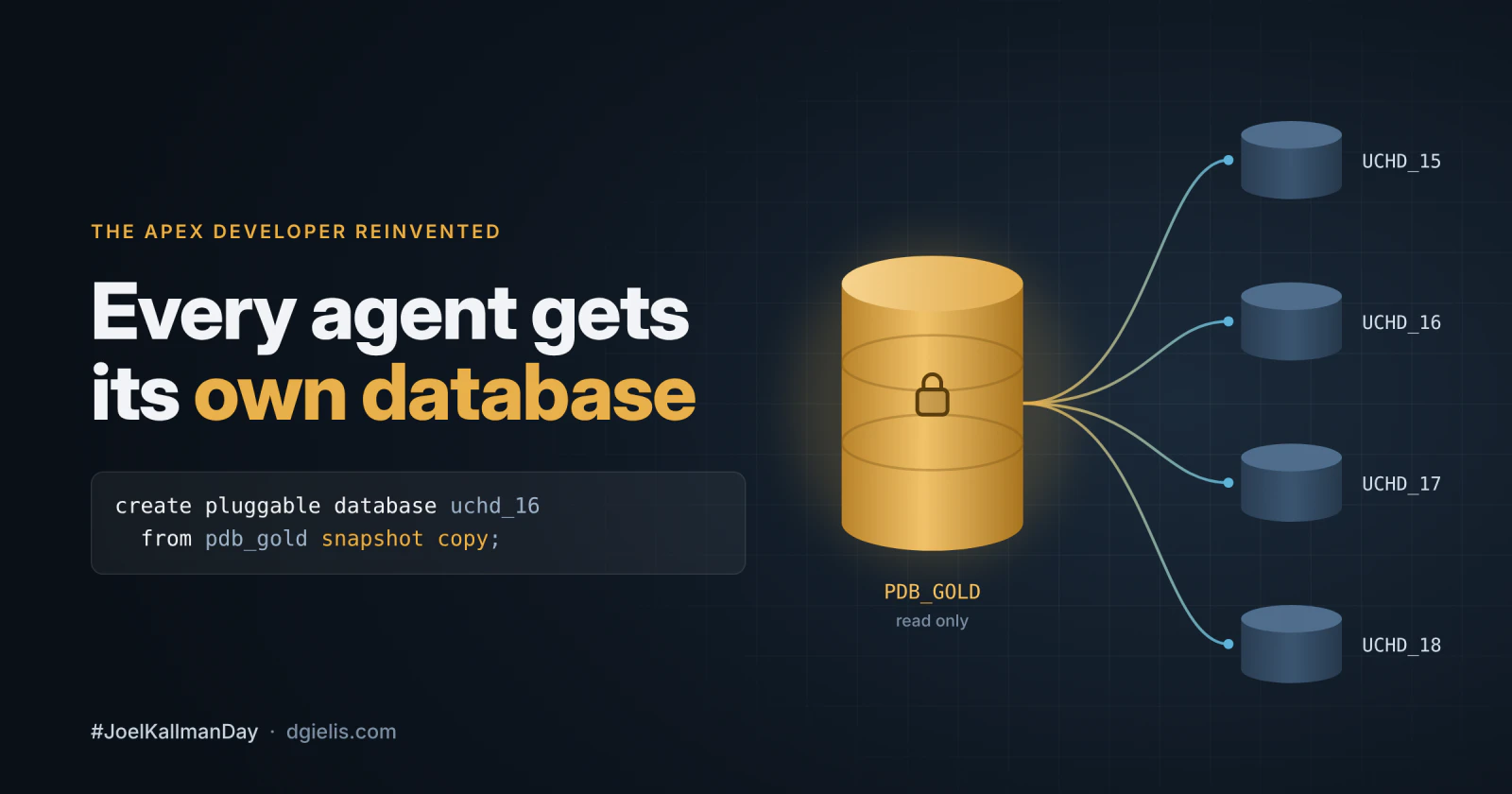
Why every agent needs its own database
In my series The APEX Developer Reinvented I’m rebuilding my World Cup prediction app with AI in the loop. In the first post I said the Oracle APEX developer becomes a designer, orchestrator and validator. Orchestrating one agent is easy. Orchestrating a few of them at the same time, on the same Oracle Database, is where it gets interesting.
An agent writes SQL, changes tables and builds APEX pages. It will try things, and sometimes it will break things. If all agents share one dev schema, they get in each other’s way.
What I want is simple: every ticket gets its own database. Created in seconds, thrown away after the merge. Git gave us worktrees for code: a separate copy per task, sharing the same history. The Oracle Database has them for data, and it’s one clause: SNAPSHOT COPY.
What SNAPSHOT COPY does
A normal clone of a pluggable database copies every datafile. A snapshot copy doesn’t. The new PDB points to the files of its source and only stores the blocks that change.
You still get a real PDB: its own users, its own data, its own APEX workspace. An agent connects to it like to any other database. On my dev box a clone is ready in about 20 seconds and takes about 400 KB on disk. Pretty cool!
Start from a golden PDB
Every worktree starts from a golden PDB: your schema, your APEX app, reference data and some masked test data. Three rules:
-
The golden is a full clone, never a snapshot copy itself.
-
It stays read only. But a brand-new PDB can’t go read only straight away: open it read write once first, or you get
ORA-65085: cannot open pluggable database in read-only mode. -
Never take a snapshot copy of a PDB you still work in. Oracle makes the source datafiles read only, so that PDB won’t open read write anymore:
ORA-65009: cannot open pluggable database in read-write mode. That’s why the golden is a separate PDB.
You don’t need special storage. On Exadata (Exascale) or ACFS the source could even stay read write, but on a plain xfs file system clonedb=TRUE (database setting) is all you need. That’s what I use. And a frozen, read-only golden is exactly what you want for agents anyway.
One database per ticket
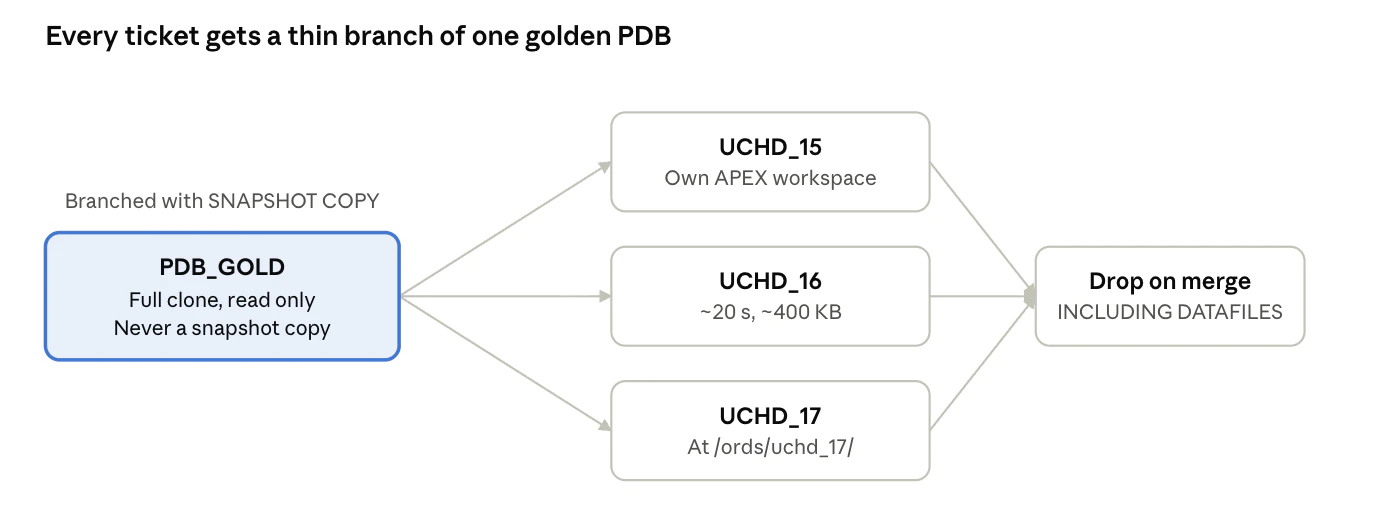
This is how we work today. Every ticket gets its own environment: a snapshot copy of the golden PDB. Whether a developer or an agent picks up the ticket, it gets its own schema, data, APEX workspace and ORDS_METADATA, at /ords/<pdb>/. No ORDS configuration, no restart.
-
Work on ticket
UCHD-16starts: the pipeline creates PDBUCHD_16fromPDB_GOLD. -
The agent (or developer) works at
/ords/uchd_16/. Nothing it does reaches the golden or another ticket. -
Every clone has the same workspace ID, application ID and alias. That’s on purpose: exports import again without changes.
-
After the merge, the PDB is dropped.
You can do this in two ways: with SQL, or over REST with ORDS. Same result, pick what fits your setup.
Option 1: SQL
Connect as SYSDBA to the root container. You build the golden once:
create pluggable database pdb_gold from dev_pdb;
alter pluggable database pdb_gold open read write;  -- once, before it can go read only
alter pluggable database pdb_gold close immediate;
alter pluggable database pdb_gold open read only;
If your database runs in NOARCHIVELOG, put dev_pdb read only for a moment while you clone it.
Then, for every ticket:
create pluggable database uchd_16 from pdb_gold snapshot copy;
alter pluggable database uchd_16 open;
And after the merge:
alter pluggable database uchd_16 close immediate;
drop pluggable database uchd_16 including datafiles;
That’s it.
Option 2: ORDS REST API
ORDS has PDB Lifecycle Management built in, so all you need is a URL and a credential.
Create the clone:
curl -s -u "devops:$ORDS_API_PW" \
  -H "Content-Type: application/json" \
  -X POST http://localhost:8080/ords/_/db-api/stable/database/pdbs/ \
  -d '{
        "new_pdb_name":     "UCHD_16",
        "source_pdb_name":  "PDB_GOLD",
        "snapshot_copy":    true,
        "storage":          "UNLIMITED",
        "create_file_dest": "/u02/oradata"
      }'
ORDS answers with a 202 and a job_name. The clone runs in a scheduler job, so wait until it’s done:
curl -s -u "devops:$ORDS_API_PW" \
  http://localhost:8080/ords/_/db-api/stable/database/scheduler/jobs/SYS,<job_name>
The job is done when you get a 404, or "state": null, or the PDB is open. Don’t trust a 200 on GET /pdbs/UCHD_16: the PDB shows up as MOUNTED while it’s still being created.
After the merge, close and drop it. The API doesn’t close the PDB for you:
curl -s -u "devops:$ORDS_API_PW" -H "Content-Type: application/json" \
  -X PATCH http://localhost:8080/ords/_/db-api/stable/database/pdbs/UCHD_16 \
  -d '{"state":"CLOSE","immediate":true}'

curl -s -u "devops:$ORDS_API_PW" \
  -X DELETE "http://localhost:8080/ords/_/db-api/stable/database/pdbs/UCHD_16?including_datafiles=true"
You need including_datafiles=true, otherwise the drop is refused. Tip: add "dryrun": true and you get the generated DDL back without running it.
We wrapped these calls in a small Python script. Our pipeline calls it, and so can an agent: create a sandbox, do the work, hand back the result.
Setting up the CDB
A few choices when you build the database make all of this smooth:
-
Install APEX in the PDB, never in
CDB$ROOT. -
Install ORDS against the CDB root, so every new PDB is served automatically.
-
Set
db.serviceNameSuffixin ORDS to yourDB_DOMAIN. -
Set
clonedb=TRUE(needs a restart). -
Make the shared pool big enough for several environments at once.
-
Use OMF (
db_create_file_dest), so a clone doesn’t needFILE_NAME_CONVERT. -
Keep the golden a full clone and read only.
-
Enable the ORDS Database API (
database.api.enabled=true) if you go for option 2.
Trying it on another box
For this blog post, I ran a test case on a small server: Oracle AI Database 26ai Enterprise Edition (23.26.3), clonedb=TRUE, datafiles on plain xfs. Next to a live application, so I didn’t want to touch the existing PDB.
First the golden: a new PDB from PDB$SEED, with a snaptest schema and a table with 1,000 rows. Opened read write once, then read only. That took about 25 seconds, and you only do it once.
Then two snapshot copies:
create pluggable database agent_001 from snap_gold snapshot copy
  create_file_dest = '/u02/oradata';
alter pluggable database agent_001 open;| PDB | Ready in | Size on disk |
|---|---|---|
SNAP_GOLD (full) |
~25 s, once | 1.24 GB |
AGENT_001 (snapshot copy) |
10.9 s | 7.5 MB |
AGENT_002 (snapshot copy) |
19.2 s | 5.4 MB |
The create itself took 4 to 5 seconds. Most of the time goes into opening the PDB. Each clone looks like 1,270 MB to the database, but only a few MB are really on disk, and that’s after the changes below.
Then I let them do work. AGENT_001 inserted 500 rows and has 1,500. AGENT_002 dropped the table. The golden still has its 1,000 rows. Exactly what you want.
I also ran the same script on my local Oracle AI Database 26ai Free (23.26.1), NOARCHIVELOG on ext4. Each clone was ready in 1.1 seconds and took about 400 KB on disk. Same isolation result. So no excuse, you can try this today with UC Local APEX Dev 😁
Gotchas
-
The golden is pinned. You can’t drop or refresh it while clones exist, because they read through it. To refresh, build a new golden and retire the old one after its last ticket is merged.
-
Clones come back mounted. With SQL you can
save state, but the ORDS API has no endpoint for that, so open them again after a restart. -
Guard the credential. The ORDS API user has
SYSDBA CONTAINER=ALLand can drop the golden too. Fine on your own box, not on a shared server. And never give it to an APEX frontend or put it in an agent’s prompt. -
Mask the golden. Whatever is in the golden ends up in every clone. No real production data in there.
What about licensing?
Snapshot copy works on Oracle AI Database 26ai Free and on Oracle AI Database 26ai Enterprise Edition.
No shared Dev DB
With agents it’s no longer a nice-to-have: they work in parallel, they work fast, and they will try the destructive thing. With SNAPSHOT COPY every ticket, and every agent working on it, gets its own database in about 20 seconds. Set it up once, together with the tooling from Setting Up Your APEX Developer Environment for the AI Era, and let them break things. You stay the one who decides what gets merged.
This post is my contribution to #JoelKallmanDay, the day the Oracle community blogs in memory of Joel Kallman, who led Oracle APEX for so many years.
Comments
No comments yet. Be the first.