Archive · 19 September 2019
Free Oracle Cloud: 5. Setup APEX in ATP and create first APEX app
Written 7 years ago. Oracle APEX has moved on a lot since; check the current Oracle APEX posts too.
This post is part of a series of blog posts on the Best and Cheapest Oracle APEX hosting: Free Oracle Cloud.
Login to your Oracle Cloud Account. Once in, navigate on the left hamburger icon to Autonomous Transaction Processing and select the Autonomous Database. In the overview screen click the Service Console:
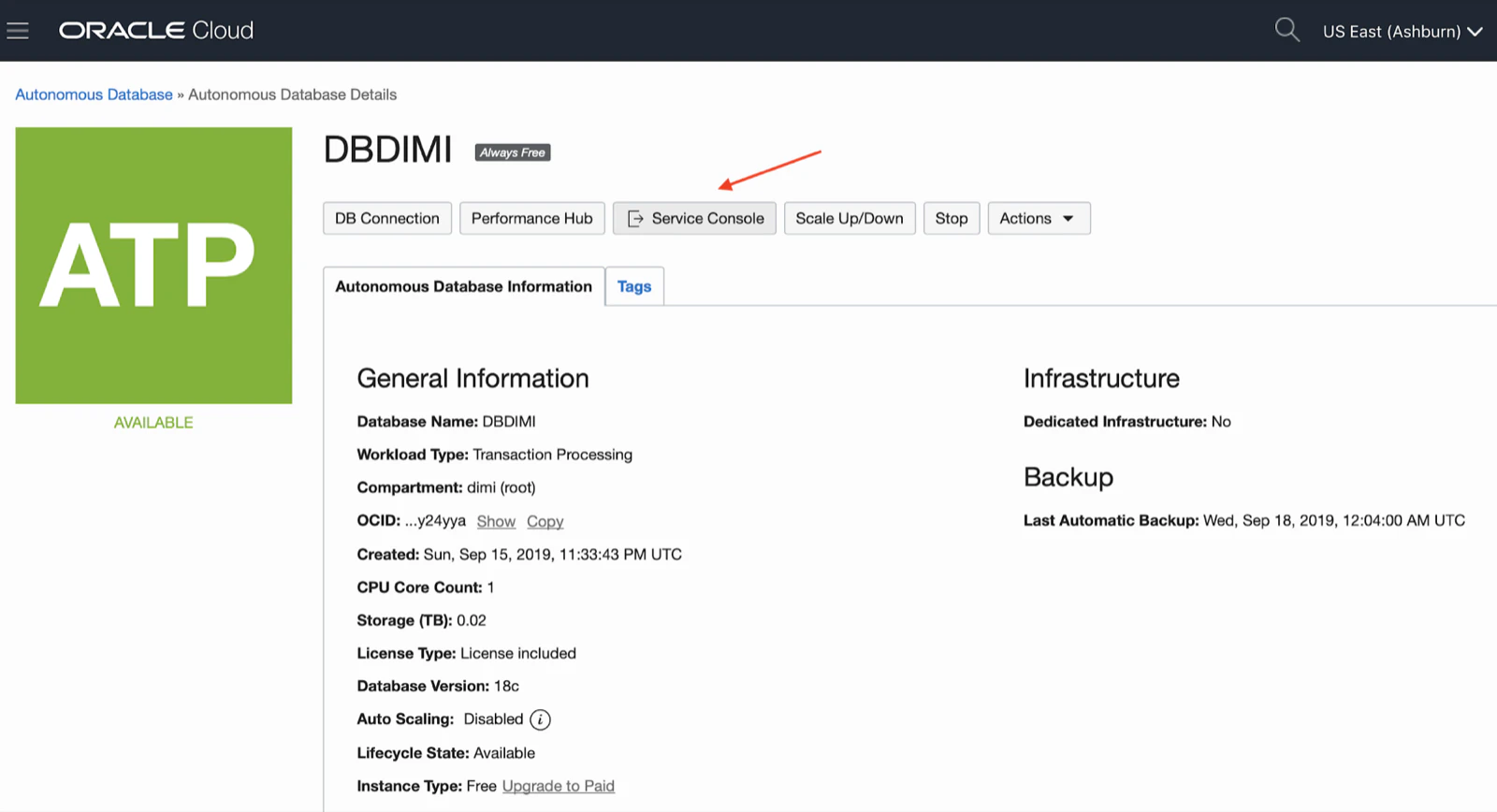
Make sure you allow pop-ups as it opens a new tab.
You will get a graphical overview, in here you want to click on the Development link.
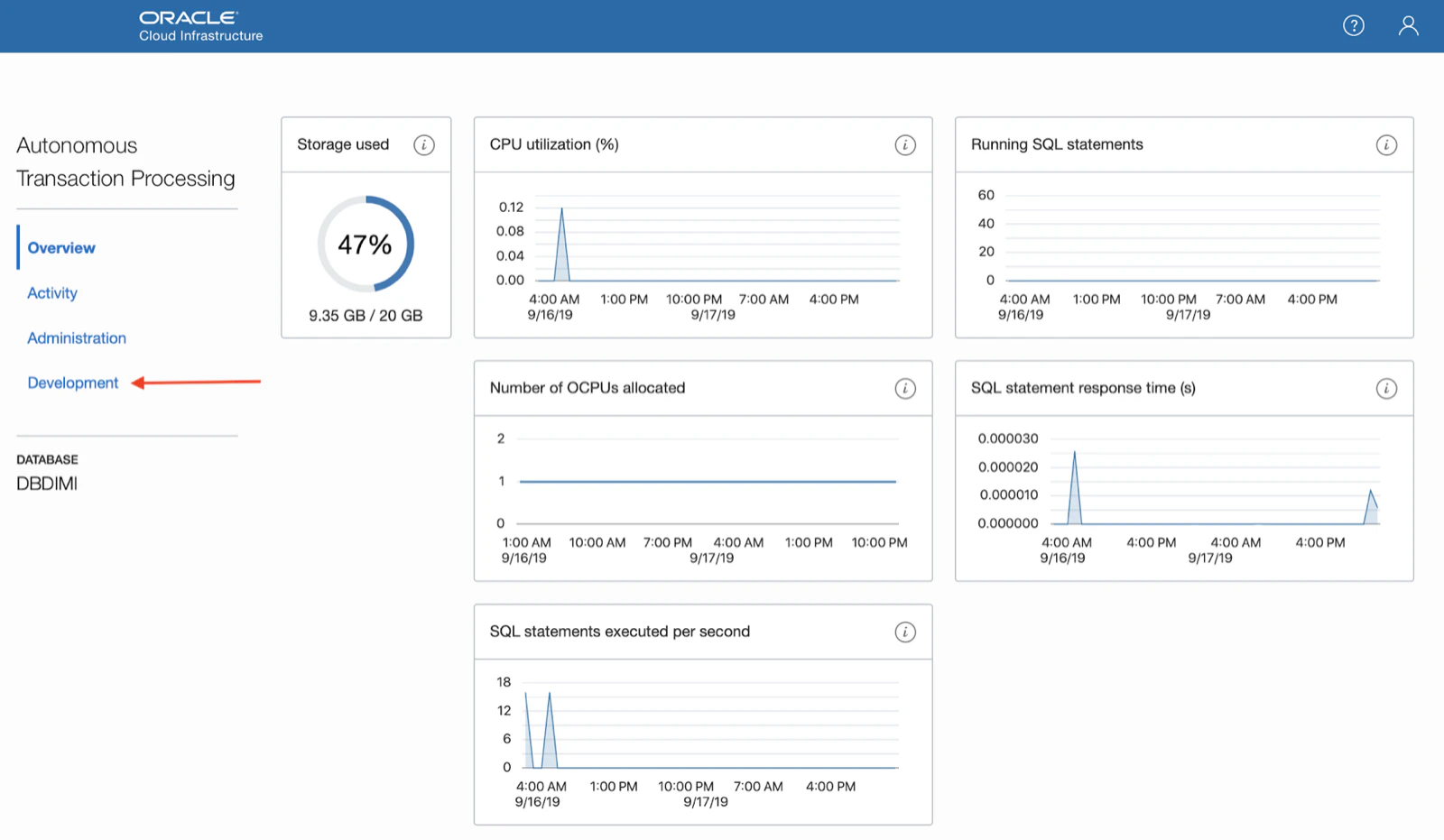
There you find the link to Oracle APEX:
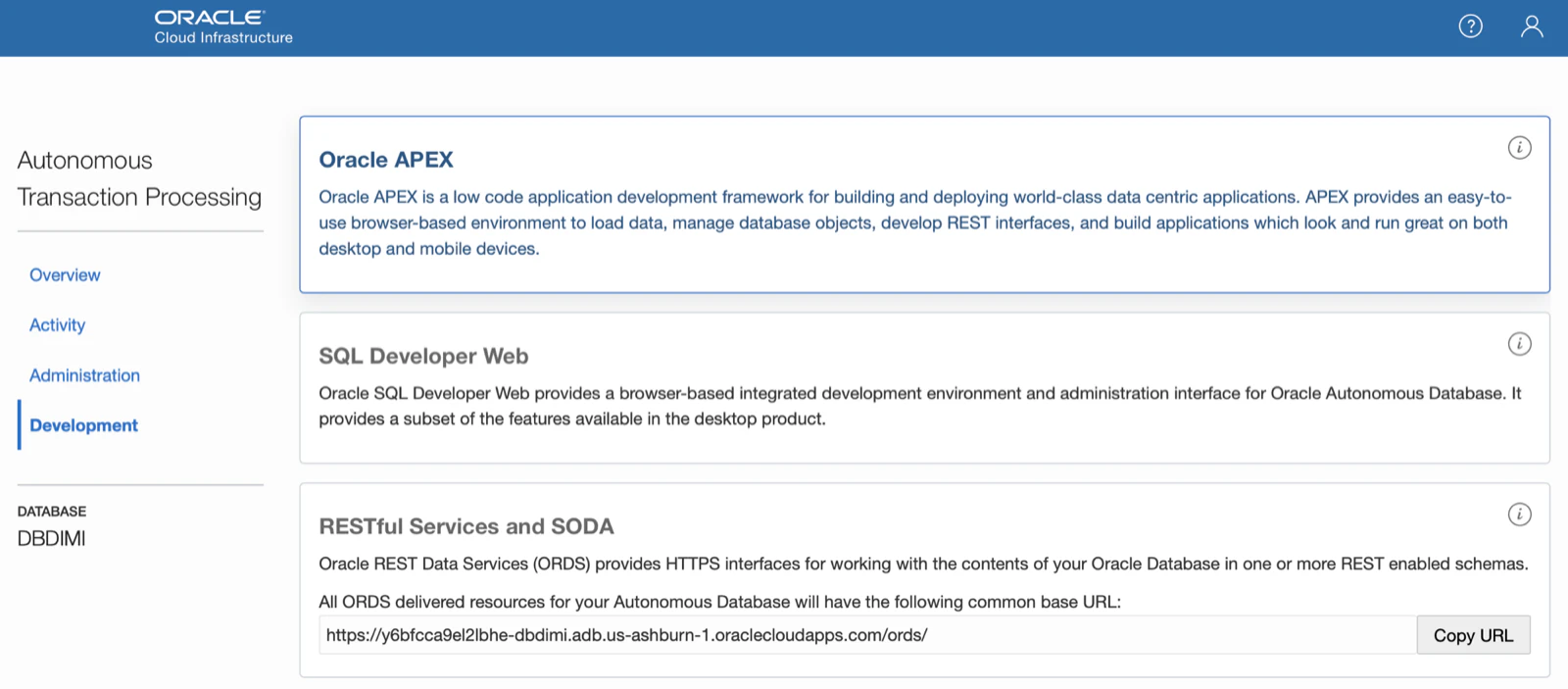
When you click the link the first time, it might take a bit of time as APEX is being configured behind the scenes. You first enter your cloud account password.
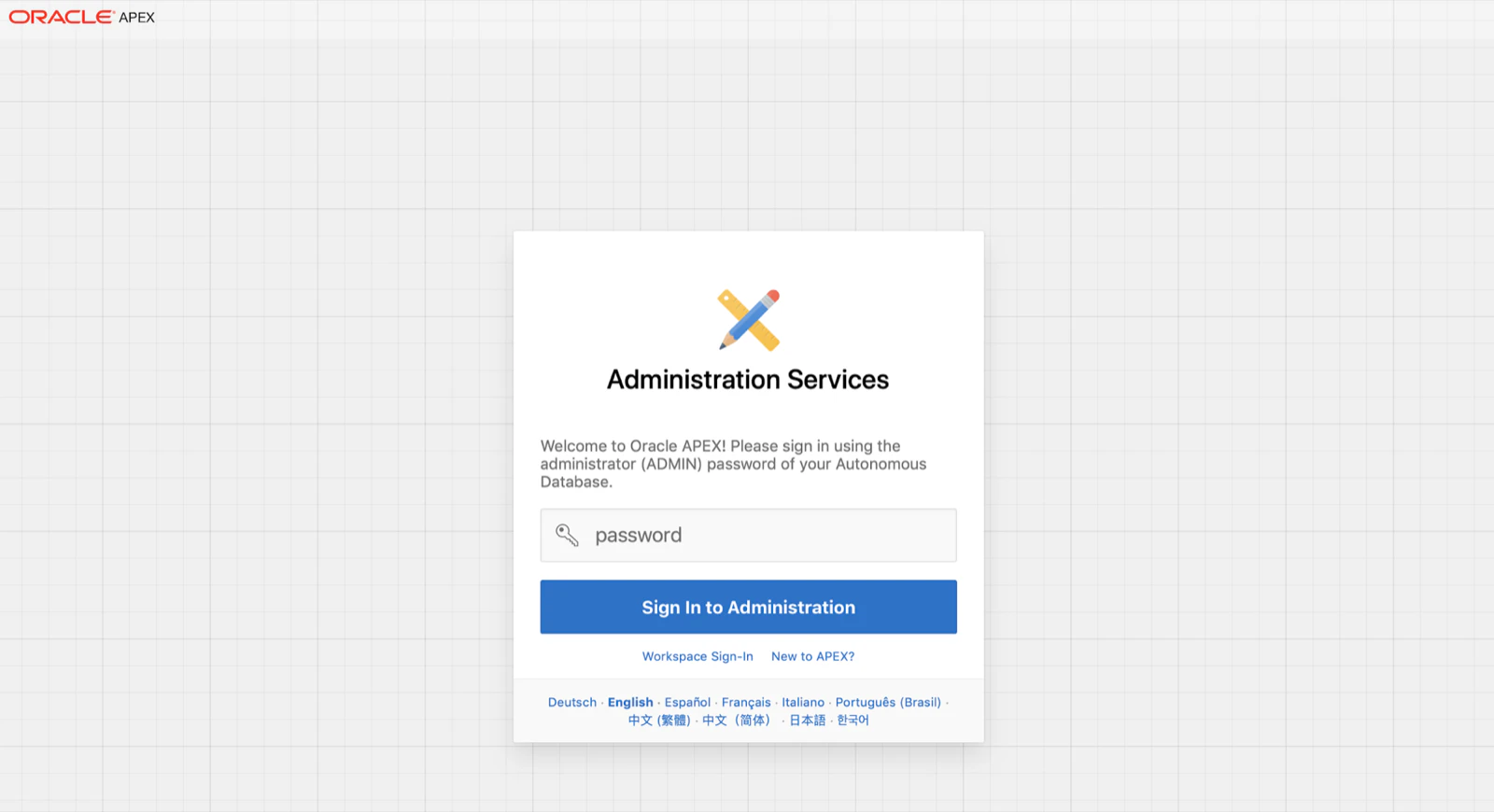
As it recognises you are logging in the first time, it will prompt you if you want to create a new Workspace. A Workspace is a space where your Oracle APEX applications live.
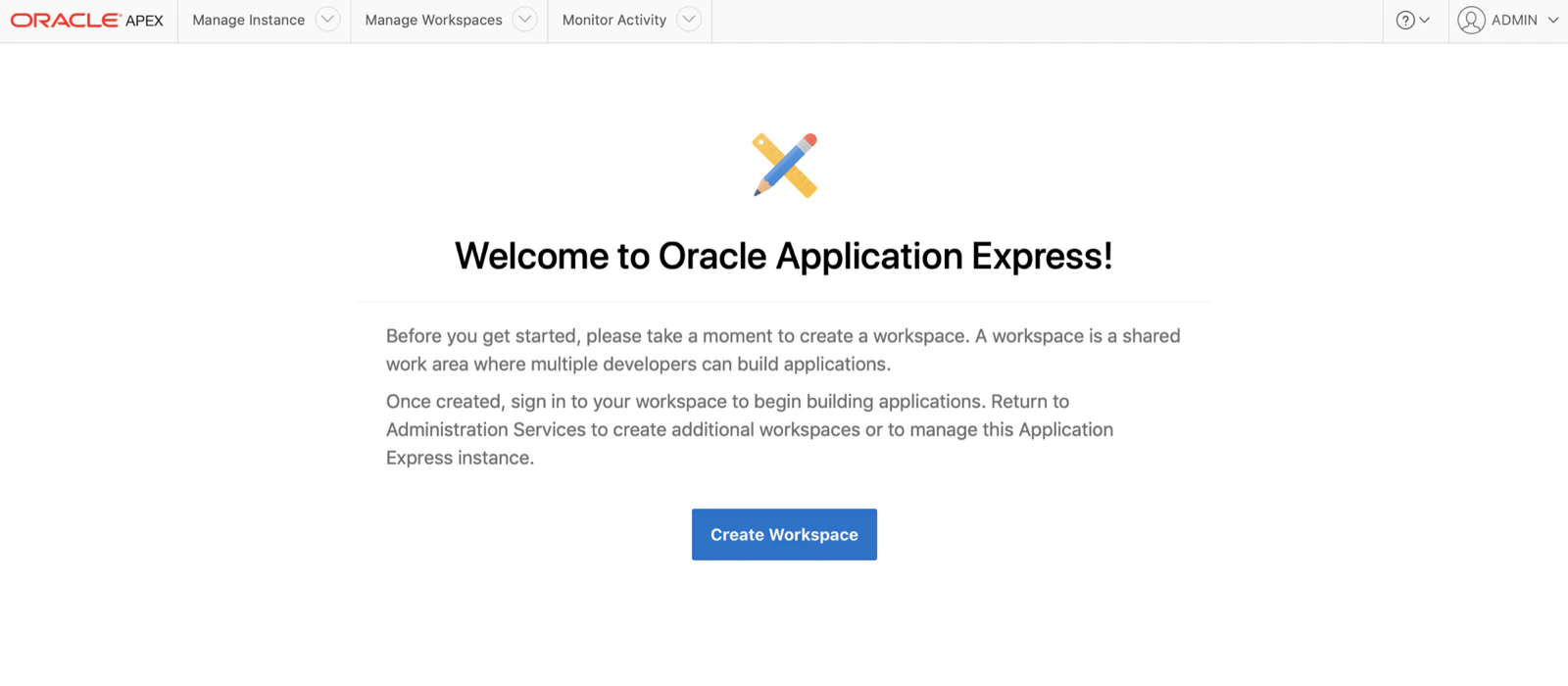
Click the button and it will prompt to create the Workspace.
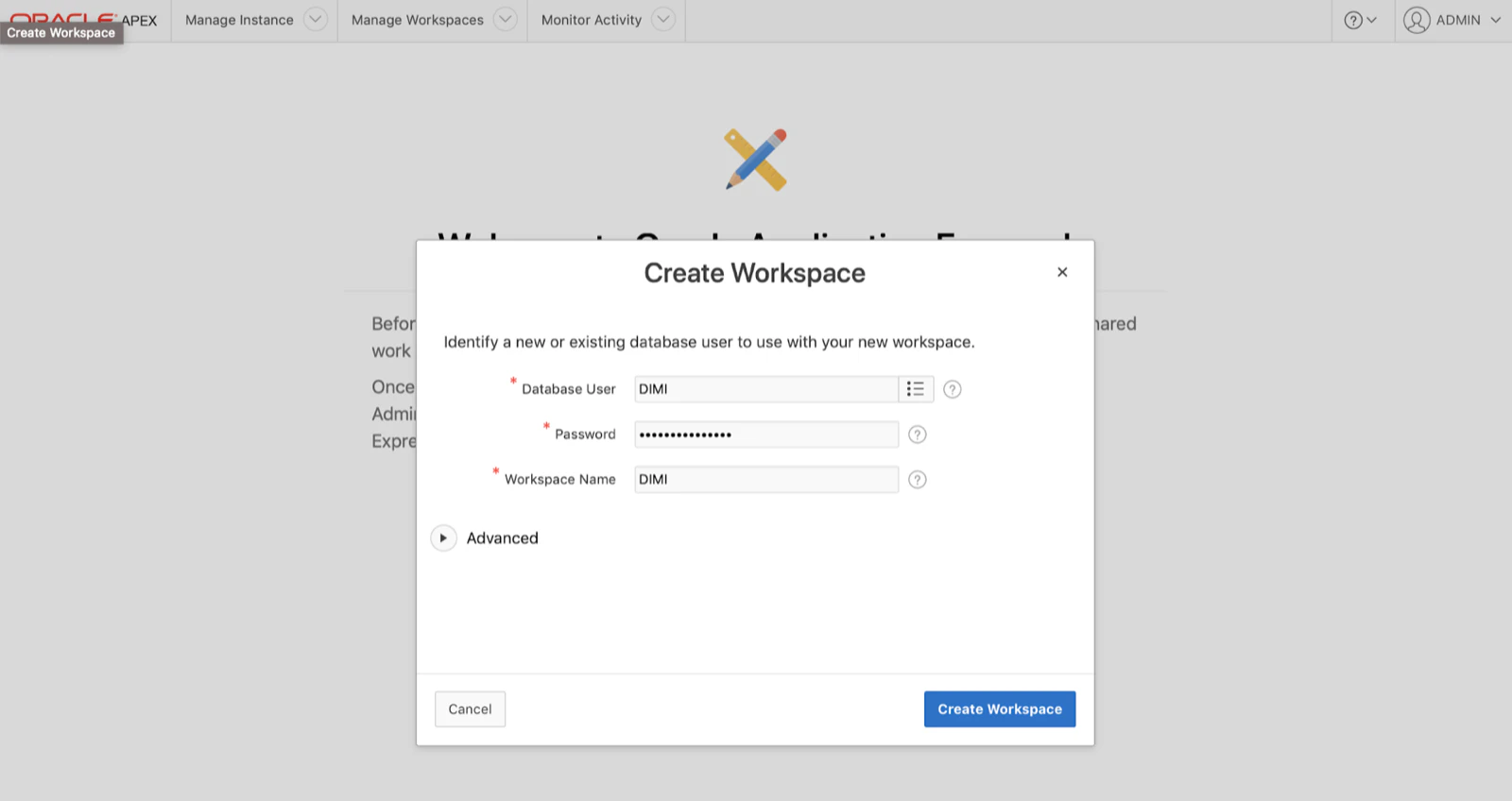
Hit the Create Workspace button and you are good to go :)
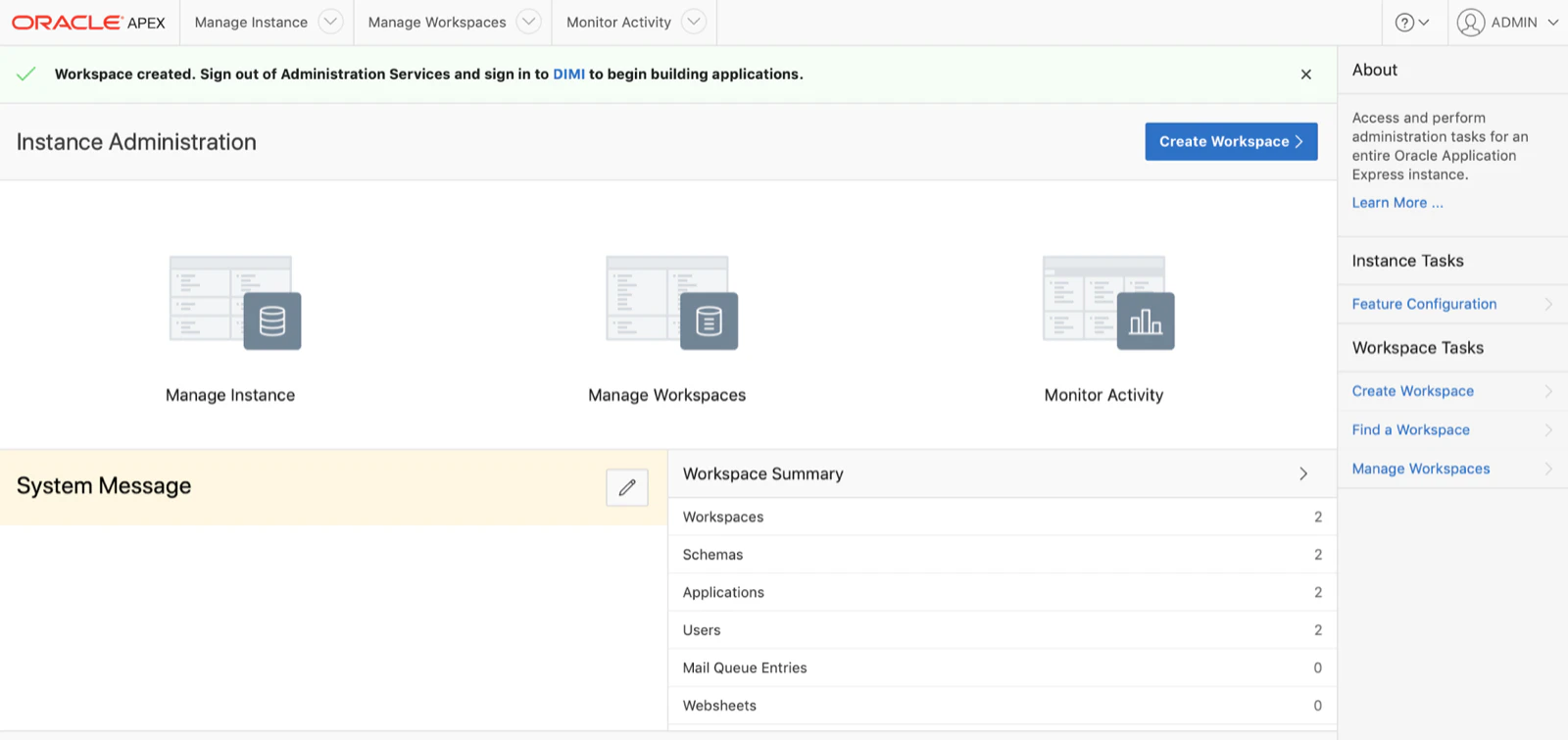
As you might not click the Create Workspace the first time, I also want to show you how to create a new Workspace moving on.
When you click the Oracle APEX link in the Development dashboard again, it recognises Oracle APEX is already setup and it will prompt you in which workspace you want to login to. You want to login into the INTERNAL workspace with the ADMIN user and your cloud account password (same credentials as with SQL Developer Web).
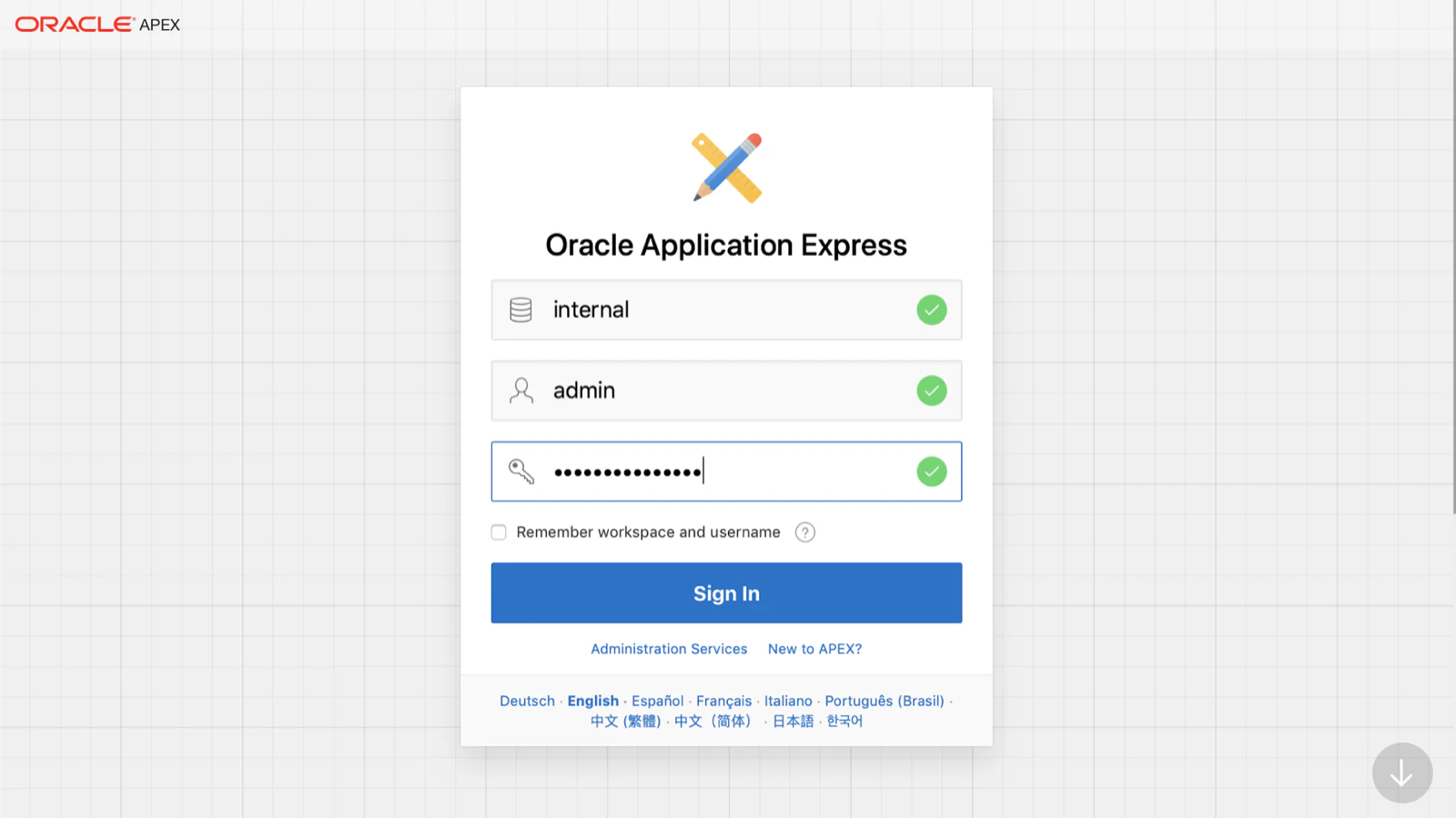
You will arrive in the Instance Administration screen. Compared to the on-premises version of Oracle APEX, the functionality is a bit more limited as the Oracle Autonomous Database is pre-configured and managed by Oracle. So you can’t tinker, for example, with the Security settings or provisioning of workspaces.
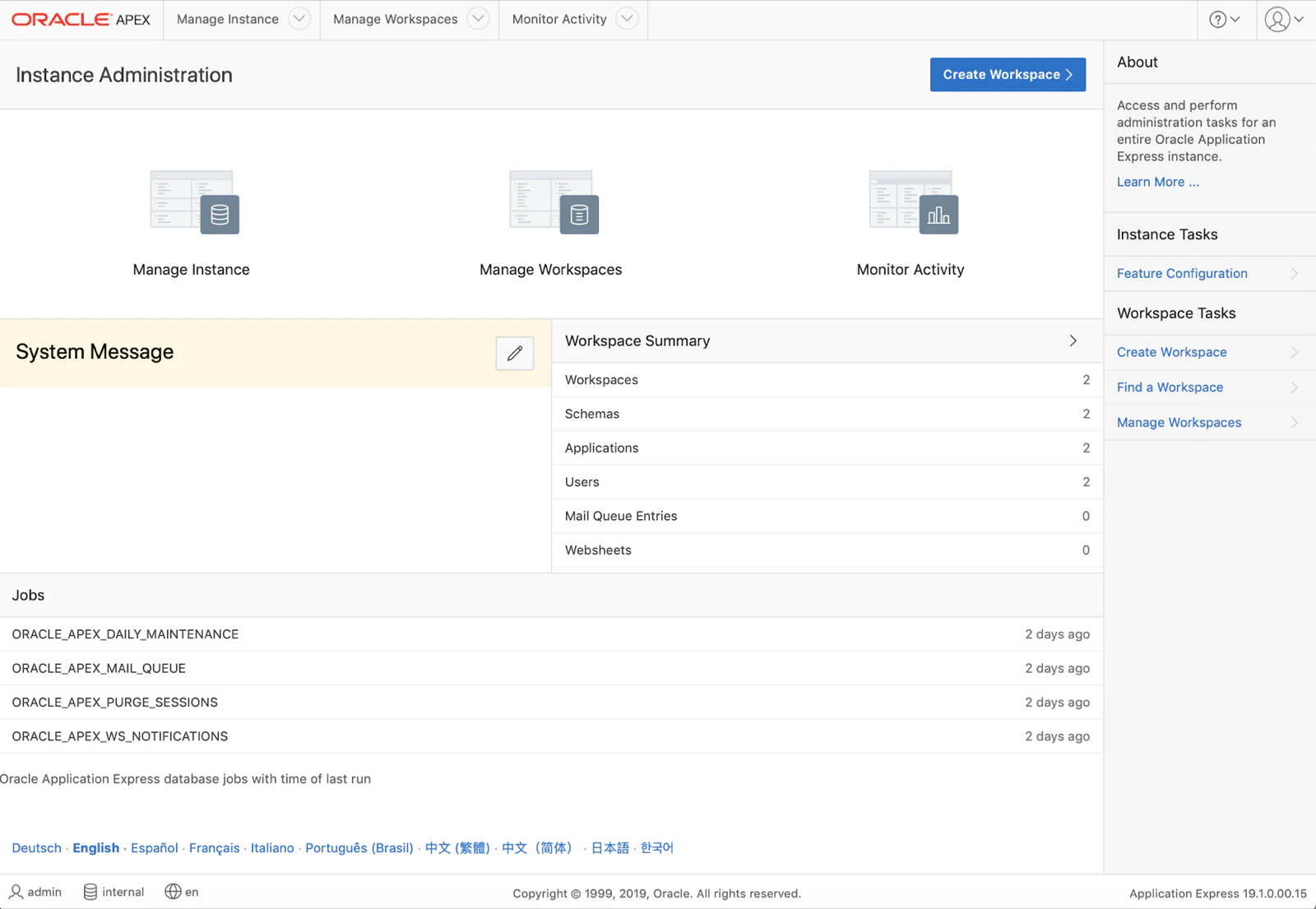
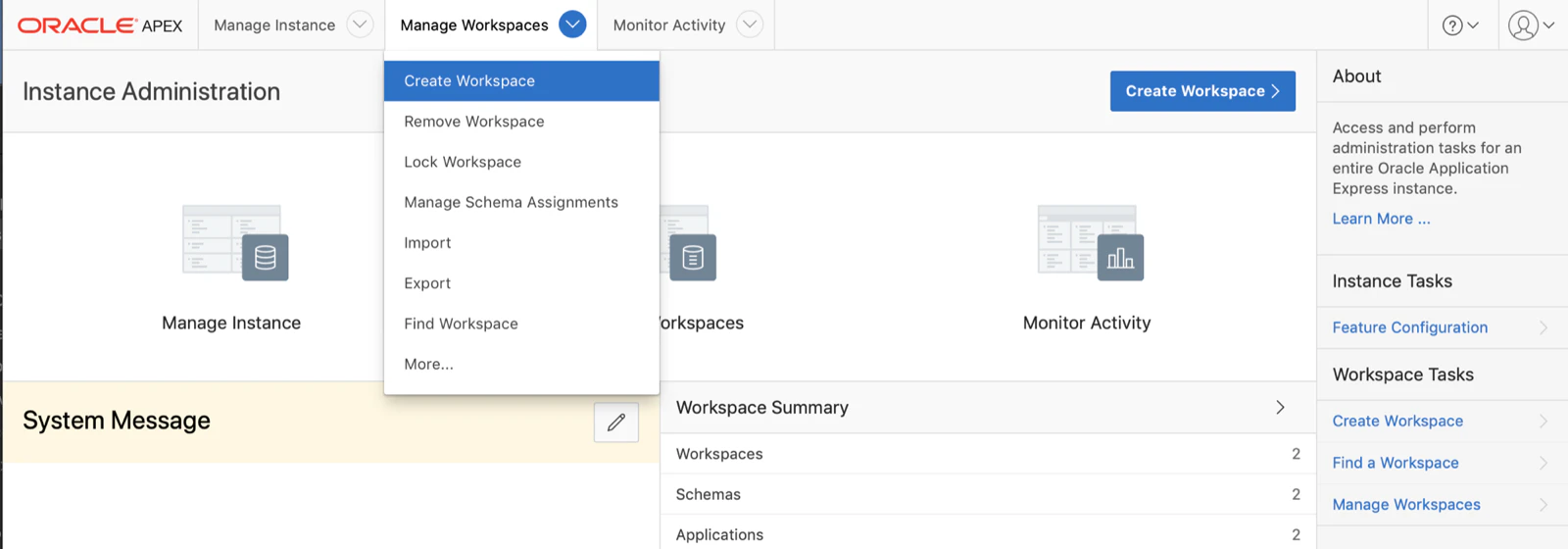
The first thing you want to do is create a new Workspace, a place where you will build your Oracle APEX app. In the Manage Workspaces menu, click on Create Workspace:
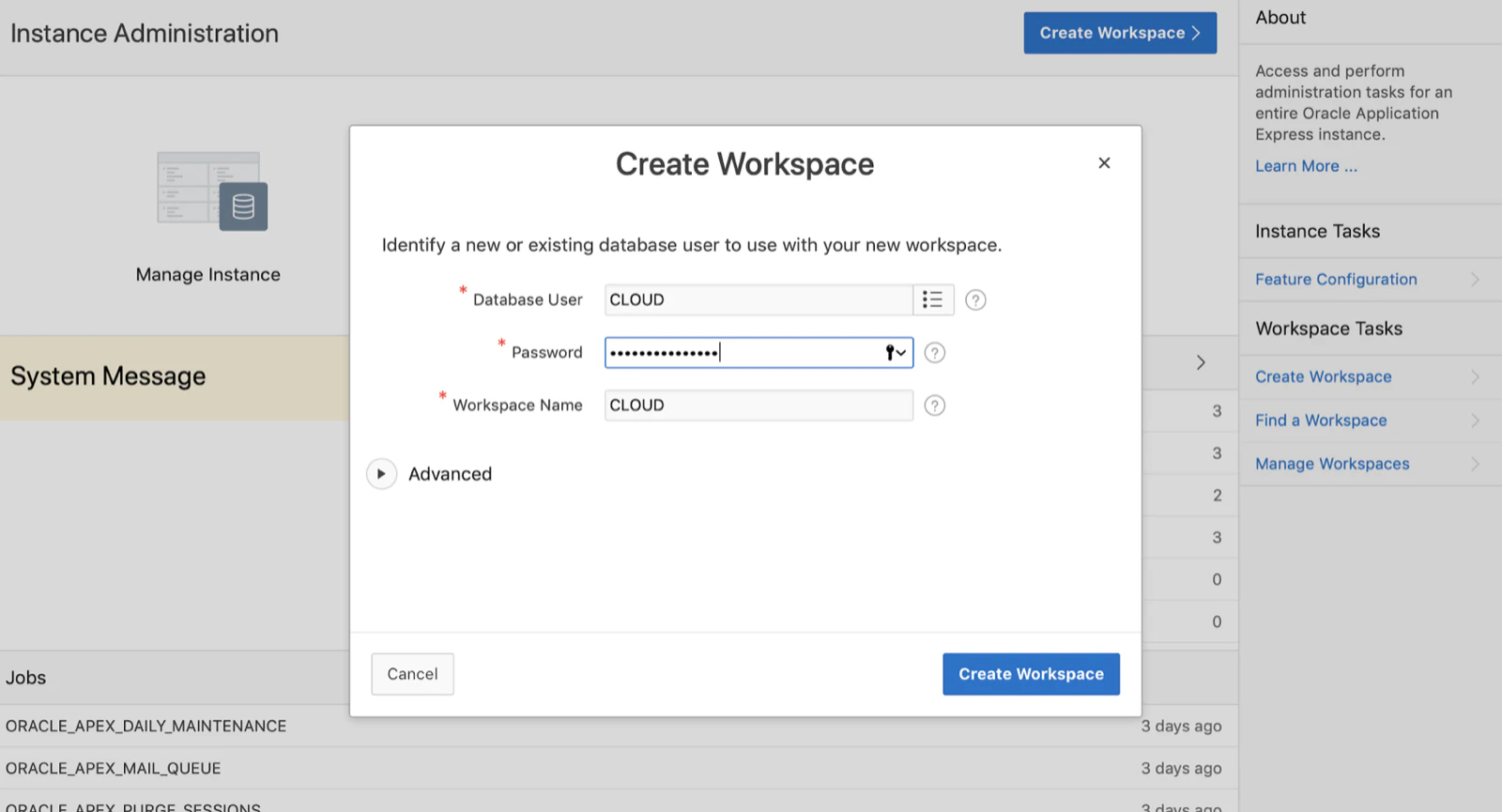
A modal dialog will appear where you can enter a new or existing database user, password and workspace name. In the following screenshot I want Oracle APEX to create a new database user called CLOUD linked to the workspace CLOUD.
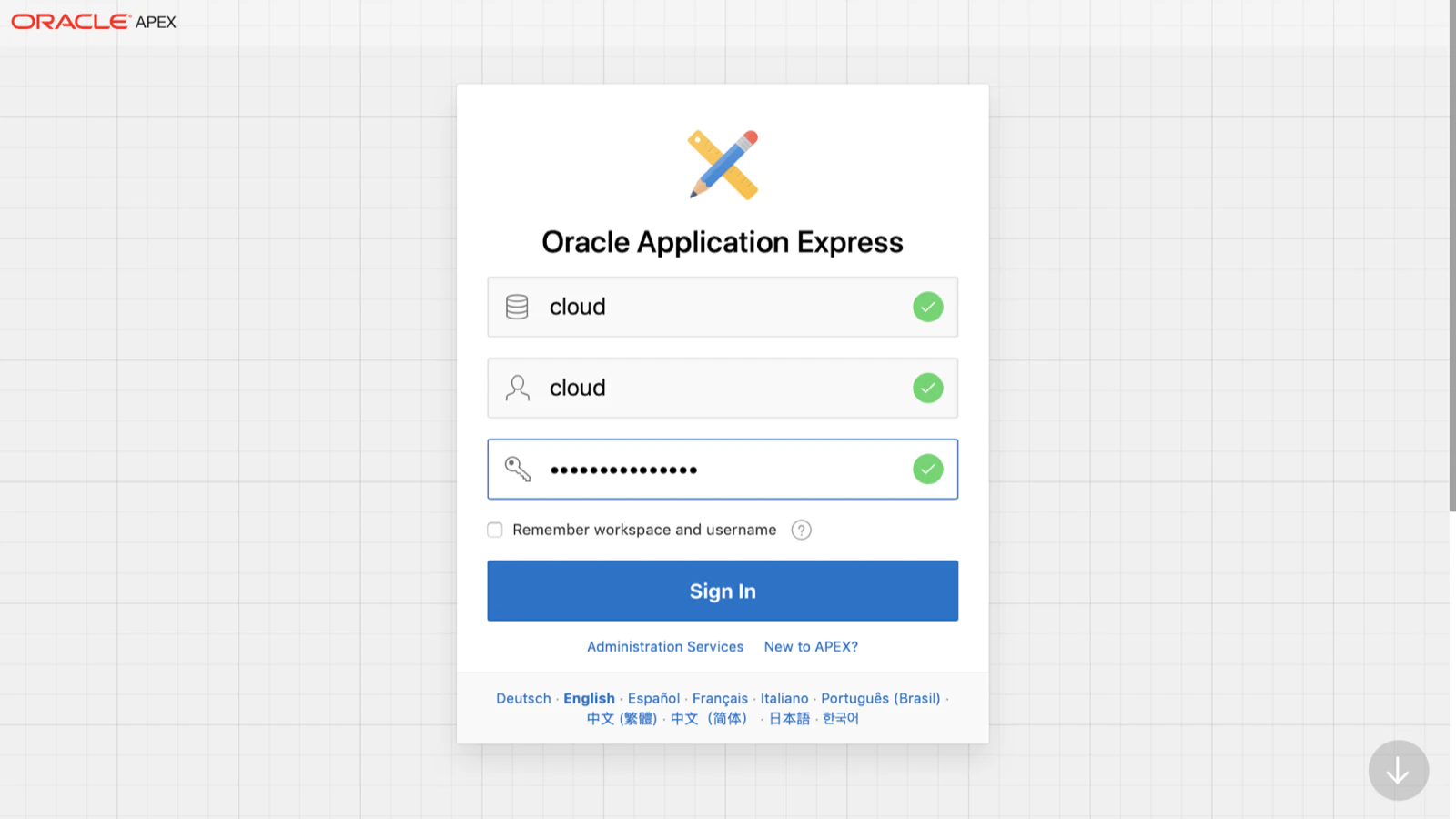
Once that is provisioned, you can sign-out of the INTERNAL workspace, and sign-in to the new created workspace. As workspace name you enter the one you created above, username is the database user and the password is the one you provided when creating the workspace.
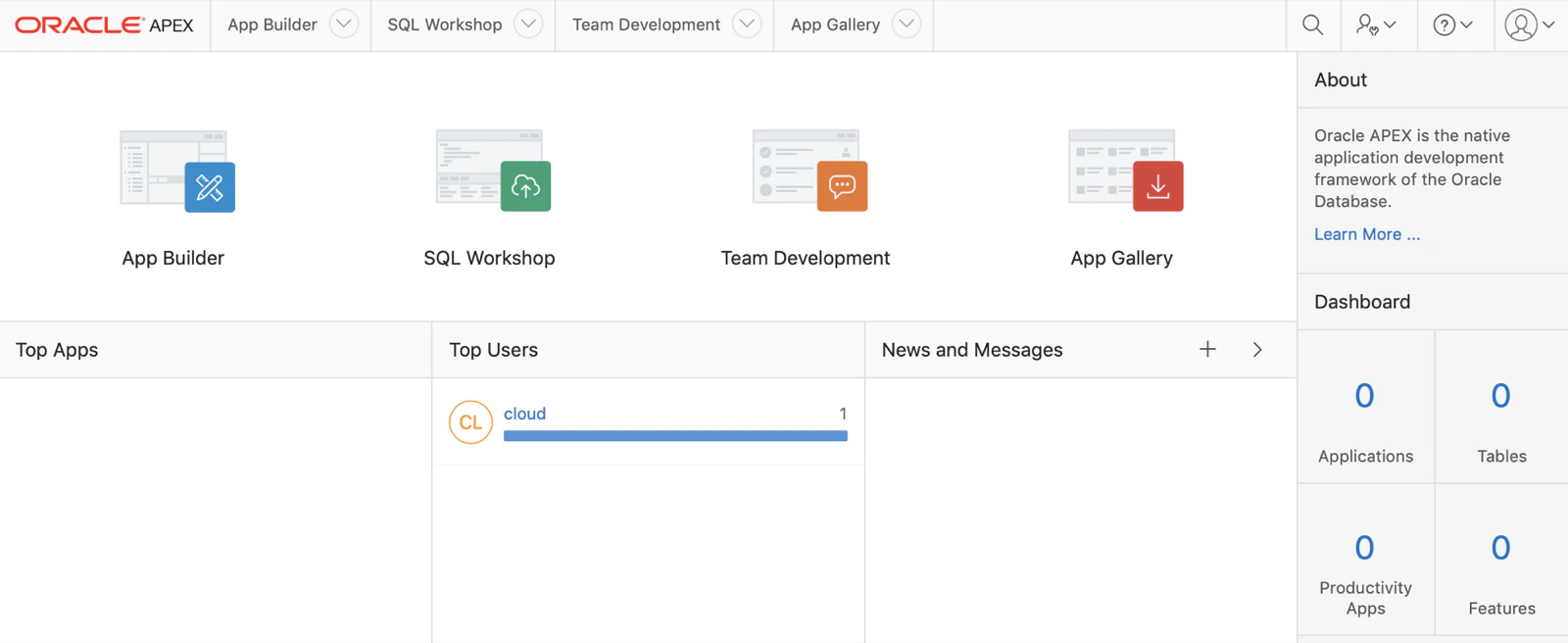
And voila… we are in Oracle APEX and we can start to create our APEX applications.
I’m not adding all screenshots to create a first Oracle APEX app in this blog post, but if you are new to APEX and want to see step by step how to start, check out the Oracle APEX Tutorial on YouTube by Caleb Curry. In the next video he walks you how to create an APEX app from a File.
There’s one thing that is important when you are using the Oracle Cloud and want to do REST requests: only HTTPS requests are allowed, so make sure you always use https.
The same counts if you want to use APEX Office Print in the free Oracle Autonomous Database Cloud to export the data in the format you want (PDF, Excel, Word, Powerpoint, HTML, …), use the HTTPS url https://api.apexofficeprint.com or the HTTPS url of your own environment.
Another thing to know is that you can’t send emails out of the Free Oracle ATP Cloud with apex_mail. In case you need to send out email, I would recommend to integrate your Oracle APEX app with Mailgun, MailChimp or others.
Update on 26-SEP-2019: you can actually use APEX_MAIL, but you first have to configure the mail server as specified in the documentation.
In the post we configured Oracle APEX, so we can create our APEX apps. One of the things many people want to do is to setup a custom domain, so for example mydomain.com links to an APEX app. Oracle calls this ‘vanity URLs’, but that is not yet available, but coming very soon. But, no worries, you can actually already do a custom URL :) In the next post I will talk about setting up a Compute instance in the free Oracle Cloud, which makes our APEX hosting more complete, so we can have an on-premises AOP install, a web server to support custom urls etc.
Originally published on Blogspot.
Comments
No comments yet. Be the first.