Archive · 7 February 2017
Changing the label of an item in Oracle APEX dynamically
Written 9 years ago. Oracle APEX has moved on a lot since; check the current Oracle APEX posts too.
Today I got the question how to change the label of an item in Oracle Application Express (APEX) based on some condition. I actually had this requirement myself a couple of times, so maybe other people too.
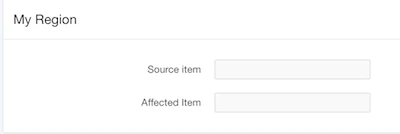
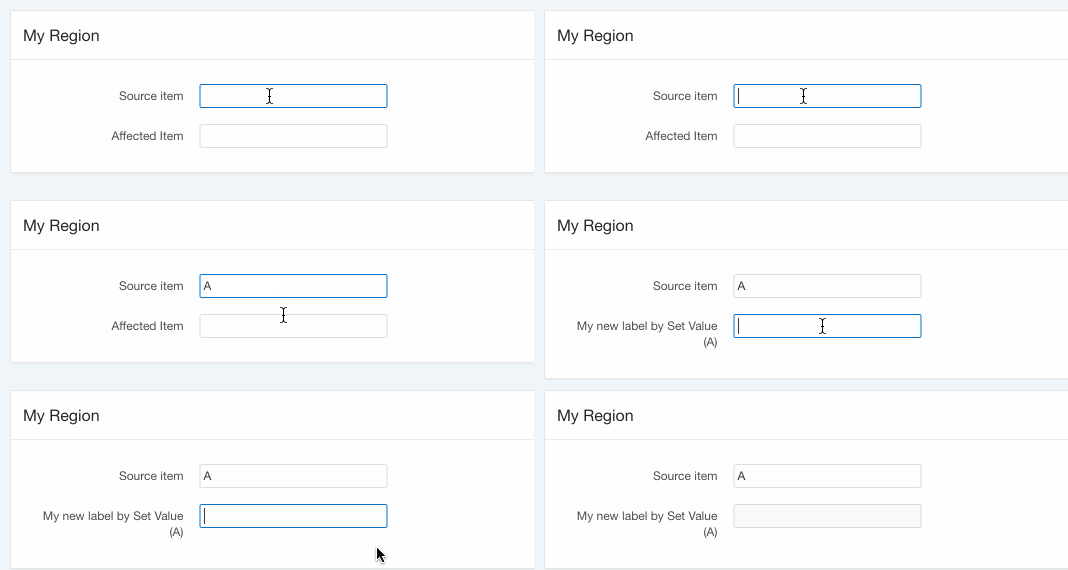
Here’s an example; whenever we change the Source item, we want the Affected Item to change it’s label:
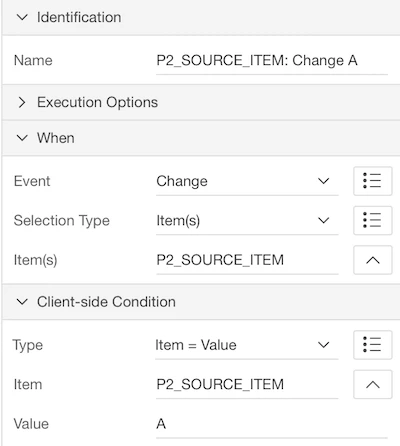
The first thing that comes to mind (if you already know a little bit of APEX); lets use a Dynamic Action: on change of the Source item we will fire (in this example we will only fire when the value is A):
Now which action should we use when the dynamic action fires?
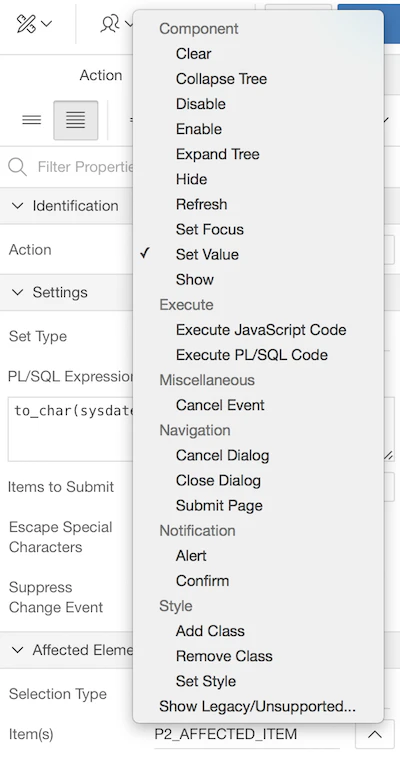
Set Value will typically set the value of an Item, but what about the Label?
If I don’t find the option, I typically look for a plugin or write some code myself. In this case I wrote a bit of JavaScript, for example:
var newLabel = 'My new label for ' + $v('P2_SOURCE_ITEM');
$('#'+$(this.affectedElements).attr('id')+'_LABEL').html(newLabel);
This will set the label to “My new label for “ and then the value of the item, at least if you select in the Affected Elements the item that needs the label change.
Whenever I think about writing custom code, my mind says “you should create a plugin for that”.
So I actually started to write an Oracle APEX Plug-in called “Set Label” (https://github.com/dgielis/orclapex-plugin-set-label)
While I was trying the plugin and writing up the things I needed to do, I guess something happend in my mind. I missed the obvious, it suddenly came to my mind there’s a much simpler solution to this…
You can actually use the Set Value action… just add after your item _LABEL, that’s it.
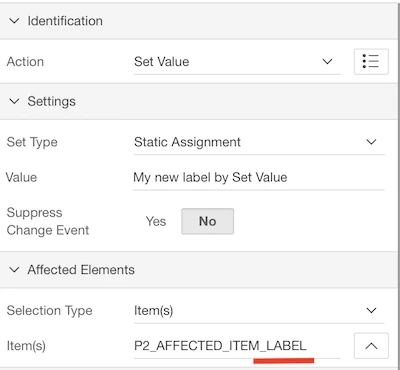
Here’s the result:
Sometimes developing is much more simple than initially thought, you just have to see it :)
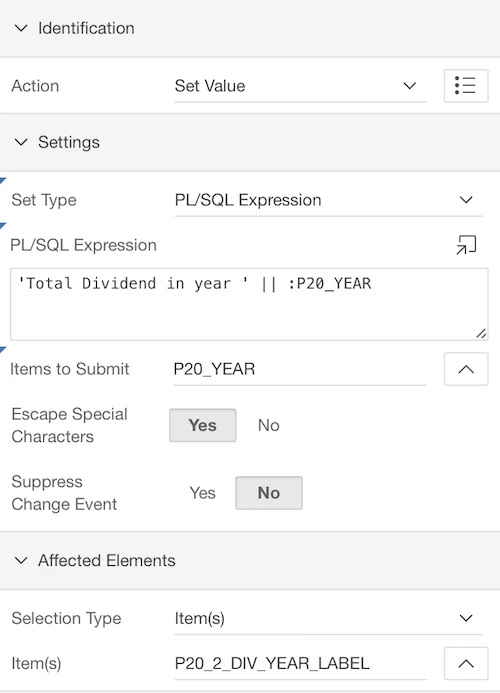
Update 16-FEB: if you want to make your label dynamic, in the Set Values Dynamic Action, you can specify SQL / PL/SQL:
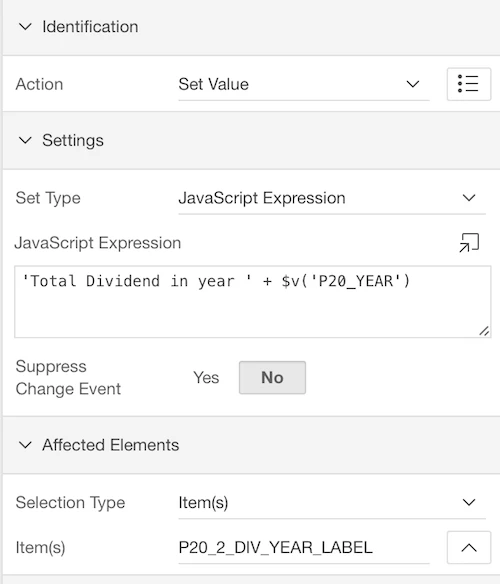
or Javascript :
Originally published on Blogspot.
Comments
No comments yet. Be the first.