Archive · 29 September 2015
Column Group Headings in an Interactive Report (APEX 5.0)
Written 11 years ago. Oracle APEX has moved on a lot since; check the current Oracle APEX posts too.
In 2008 I blogged about how to add Group Headings into an Interactive Report in Oracle Application Express (APEX 3.x!).
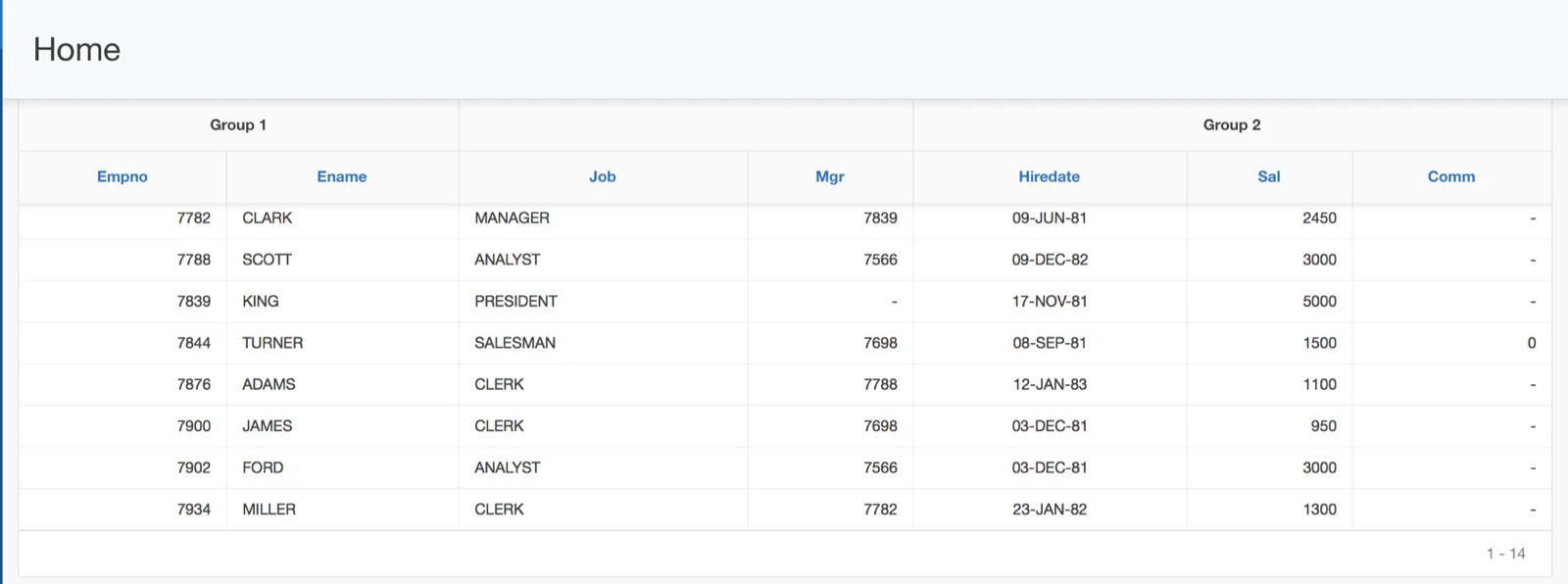
Here’s an example what I mean with Group Headings, you want to logically group certain columns (e.g. Empno, Ename) and have a group name above them (e.g. Group 1):
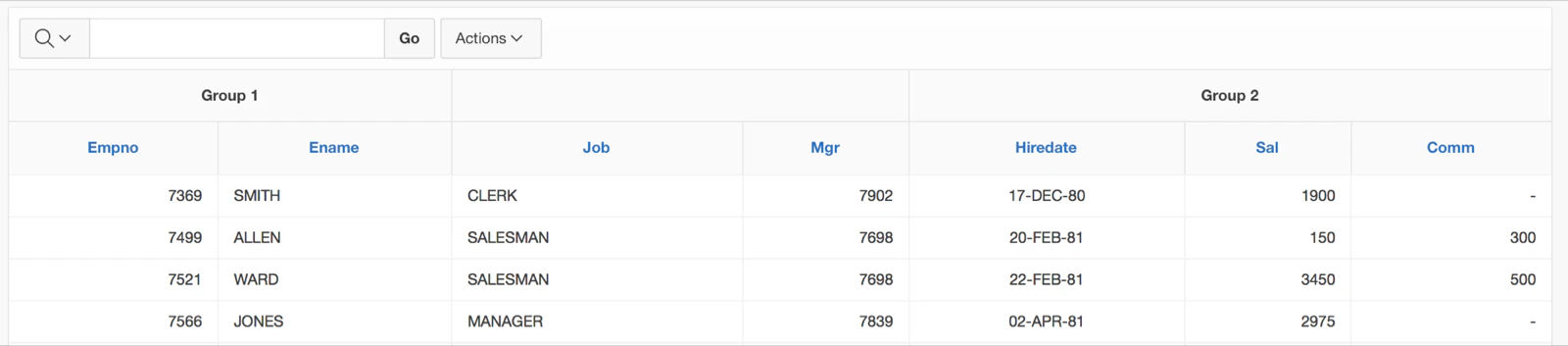
The approach I used at that time worked, but it required a lot of manual work. In 2009 Martin D’Souza improved it and wrote a blog post about that. In 2010, when plugins were introduced in APEX 4, Martin wrapped it all in a nice APEX plugin which made adding Column Group Headings almost declarative. The plugin was further improved and put on GitHub.
Today, having APEX 5, and the Interactive Reports being changed a lot behind the scenes, the plugin was broken. As we’re in the middle of restructuring how to share code, plugins etc., I forked Martin’s git repo and made the plugin compatible with APEX 5 and Universal Theme (see version 1.0.4), so when you need it, you can grap it from the forked repo. At a later time the plugin will be moved to OraOpenSource, so depending when you read this post, check out OraOpenSource as Martin, I and many other developers will start putting our open source code on OraOpenSource.
Here’s a quick how to use the plugin.
Step 1: Download the file dynamic_action_plugin_com_clarifit_apexplugin_ir_column_grouping.sql
Step 2: Import the plugin in your APEX application
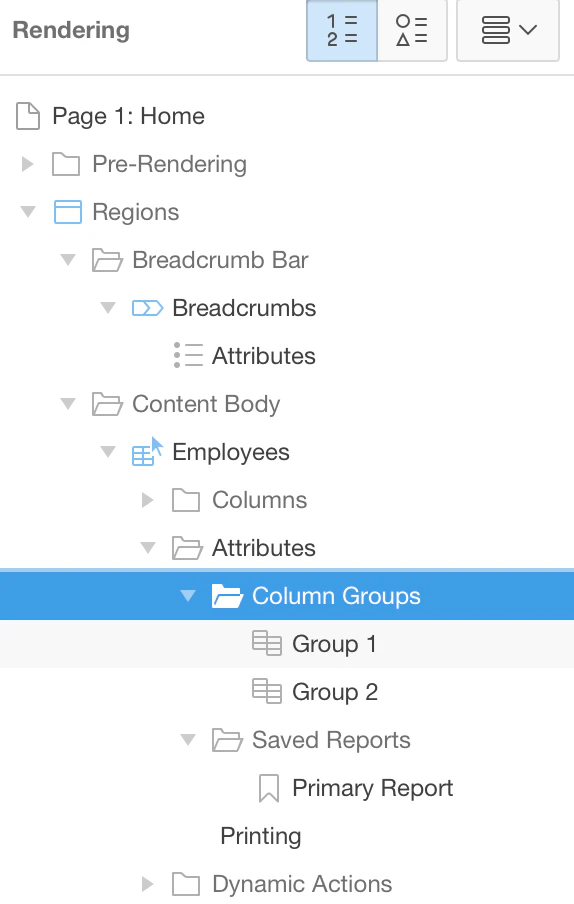
Step 3: Define the Groups in the Interactive Report (you can right click on Column Groups in the Attributes of your Interactive Report and add the Groups you need):
Step 4: Assign the group to the columns of your report (you can multi select the columns and in the right pane you can select the group):
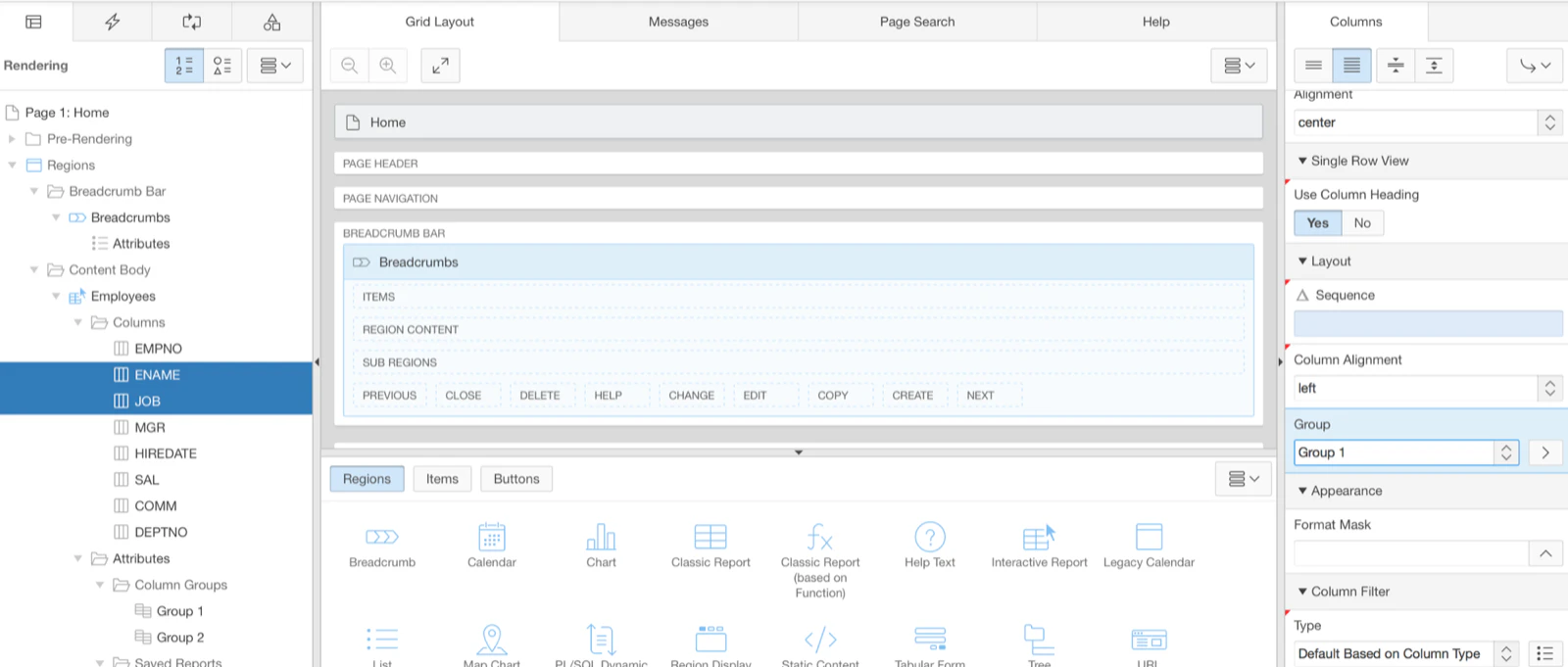
Important: define for every column that has a group defined, a static id equal to the name of the column (e.g. ENAME).
Step 5: Add the dynamic action plugin to the page
When:
- Event: After Refresh
- Selection Type: Region
- Region:
Action:
- IR Column Grouping [Plug-In]
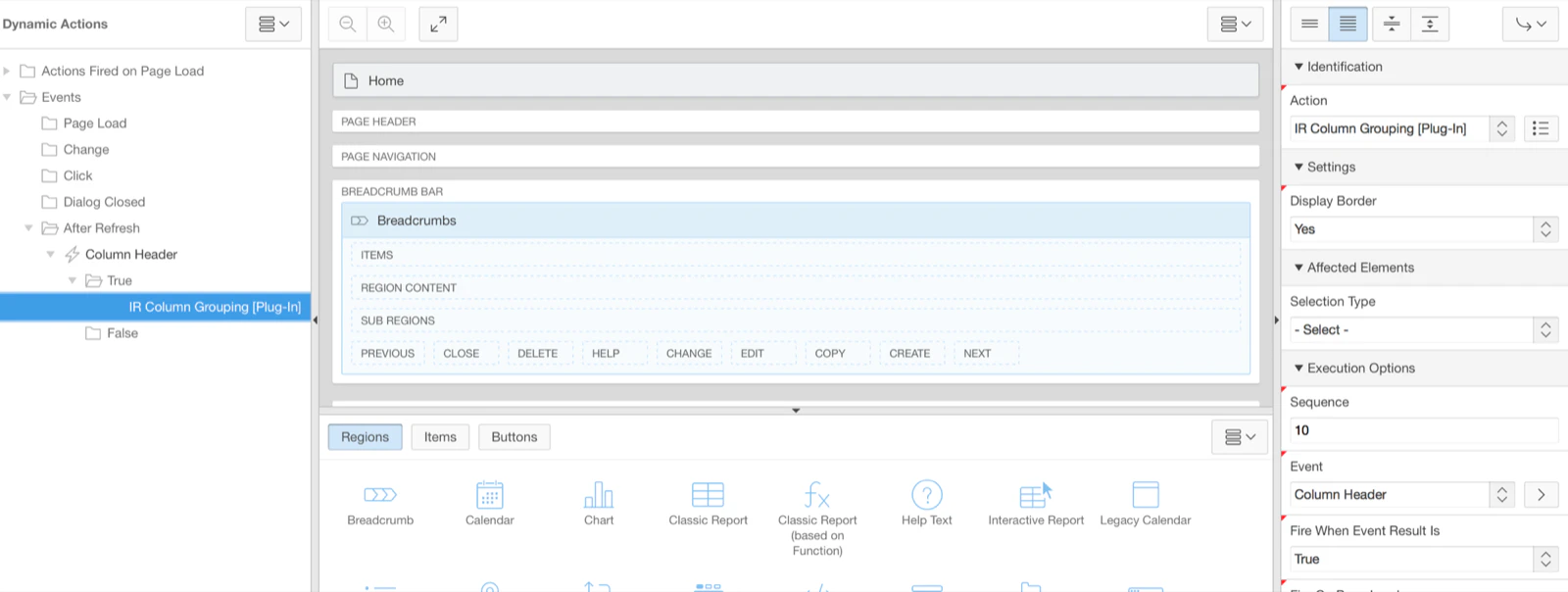
That’s it… note that when you scroll down and you have sticky headers, the group will stay with it.
Originally published on Blogspot.
Comments
No comments yet. Be the first.