Archive · 16 January 2015
Understanding the APEX url - passing variables to items and (interactive) reports
Written 11 years ago. Oracle APEX has moved on a lot since; check the current Oracle APEX posts too.
Did you know you can recognise an Oracle APEX application through the url?
Here’s the syntax:
f?p=appid:pageid:session:request:debug:clearcache:params:paramvalues:printerfriendly&p_trace=YES&cs=…
Let me give some examples:
The first part: https://www.apexrnd.be/ords/ depends on your configuration. I’m using https, my domain name is apexrnd.be and I’m using the Oracle REST Data Services as connection to the database. This is a configuration in your webserver.
The next part is f?p= f is a procedure in the database with as paramaters (p=). f comes from flow - once APEX was called “Project Flows”.
209 is my application id, 12 is my page id and 12351378808570 is my session
The first part is the same, but now as request I’ve CSV, page 12 is an Interactive Report and the fastest way to see your IR data as CSV is to give CSV as the request in the url
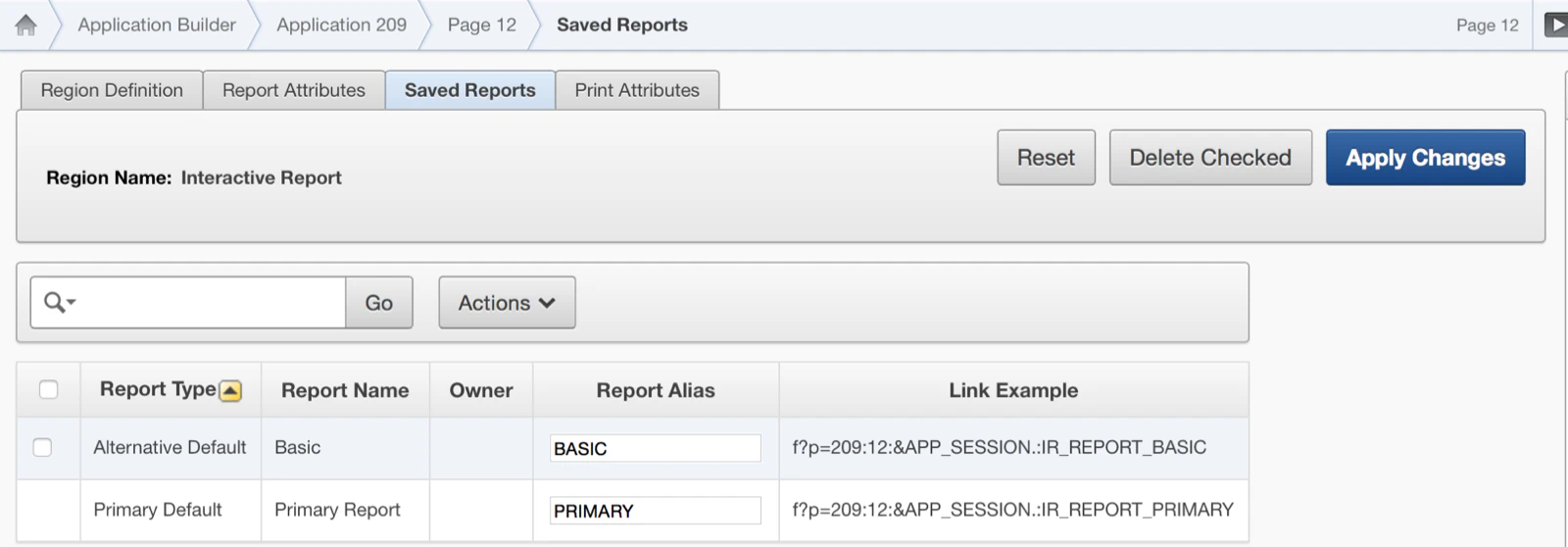
I changed the request again to the name of a saved Interactive Report (Alternative) IR_REPORT_: so the page goes straight to that layout of the report.
Here I’m calling the page in DEBUG mode
In the clear cache section you have a couple of options, specifying the below will clear the cache for :
- APP: whole application
- SESSION: current user session
- RIR: reset interactive report to primary report
- CIR: reset to primary report but with custom columns
- RP: reset pagination
- 12: page 12
- P12_ID: item P12_ID
Here I pass a variable with the url, we’ll fill P12_ID with the value 1
You can use comma separated list of items and values for example: P12_ID,P12_NAME:1,DIMITRI
If you want to filter an interactive report you can call IR??_:
In the above case we set the customer last name = Dulles.
There are many other parameters: IREQ_ (equal), LT_ (less), IRLTE_ (less or equal), IRGT_, IRGTE_ (greater or equal), IRLIKE_ (like), IRN_ (null), IRNN_ (not null), IRC_ (contains), IRNC_ (not contains).
In this case we run the page in Printer-friendly mode
This url will generate a trace file on the system for this request.
You find some more information in the APEX Documentation or you can try online at https://www.apexrnd.be/ords/f?p=209:12:0:.
One remark: if you enable Session State Protection (SSP) you might not be able to call the parameters like this as it requires a checksum at the end which you have to calculate for example by using apex_util.prepare_url().
And finally, if you want more readable urls, some people did some posts about that, here’s one of Peter.
Originally published on Blogspot.
Comments
No comments yet. Be the first.