Archive · 5 January 2015
Highlight negative numbers in an APEX Report (css only)
Written 11 years ago. Oracle APEX has moved on a lot since; check the current Oracle APEX posts too.
Here’s a screenshot of the result we want: the negative numbers are highlighted in red.
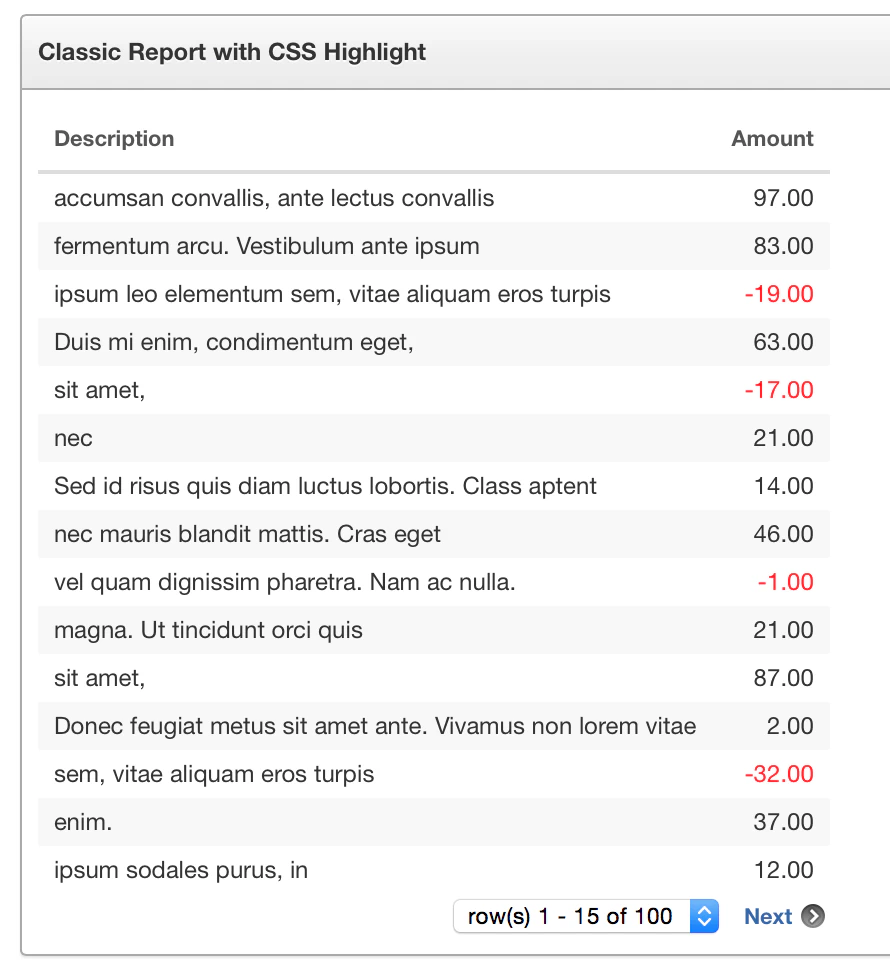
There’re many ways to achieve highlighting certain areas in a report, but depending the complexity of the logic that defines what gets highlighted I use one of the following three techniques:
- CSS only
- CSS and a Dynamic Action with one line of JQuery
- CSS and a column in the SQL query that defines the class
In this post I will explain the first technique, the other two are for future posts.
CSS only solution to highlight a negative number
Create a classic Report (the same technique works for an Interactive Report). Edit the number column(s) you want to turn red in case it’s negative and modify the Column Formatting as below.
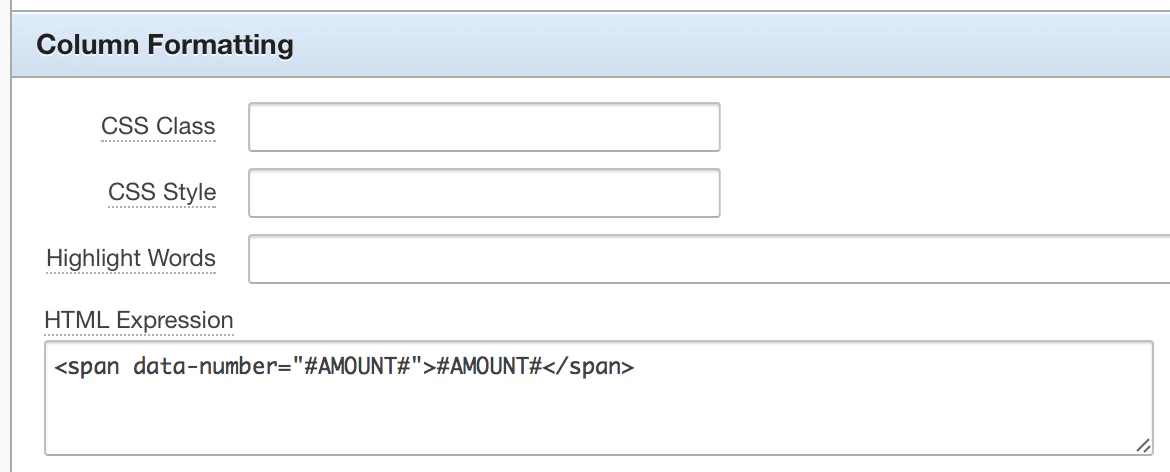
I’m wrapping a span around my column (AMOUNT) and use the HTML5 data- attribute to store the number in that attribute. Doing this will allow me to use a CSS selector to see if it’s a negative number or not. Unlike JQuery, CSS doesn’t have a :contains selector, if it did, we didn’t have to create the extra data-number attribute.
In the Page Attributes, in the CSS section we add following inline css (note you can add this to your Page Template too, so it works for all pages):
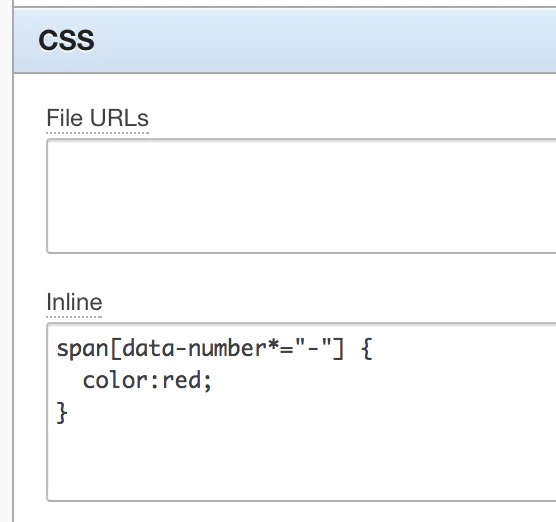
What the CSS is doing: every span with as attribute data-number that contains a - (dash - which means it’s a negative number) we give the color red.
That’s it…
You find the online example here: https://www.apexrnd.be/ords/f?p=DGIELIS_BLOG:REPORT_HIGHLIGHT_CSS
Originally published on Blogspot.
Comments
No comments yet. Be the first.