Archive · 9 January 2015
APEX and Font Awesome integration
Written 11 years ago. Oracle APEX has moved on a lot since; check the current Oracle APEX posts too.
In the previous post I talked about scalable vector images. In this post we will integrate Font Awesome in our APEX app, but the steps for the same if you would pick another library.
Step 1: we need to make the library available in our APEX application.
The easiest way to make the library available in your entire application is to add the following line in your Page Template:
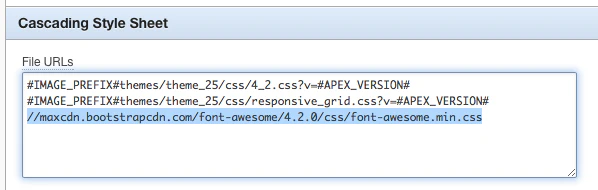
How do I know it’s that string you might ask. If you go to the Getting Started section of the library you chose it will tell you:
You’re actually done now with the integration… You’ll find some examples on the site to see the properties you can use (size etc.). The list of icons is also available here.
Here’re some examples I use the image fonts for:
An image in a region
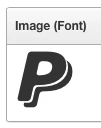
Sometimes I just want an image in a region, so I included the paypal icon (fa-paypal) and gave it a bigger size (fa-5x).
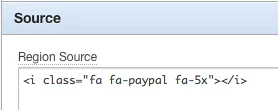
You see the result here:
Edit icon in a report
During the creation of a report region you can select the image you want, those are either images or text. Change the Link Icon to following:
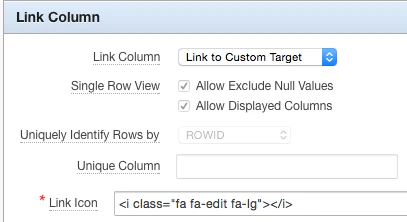
Replacing the image will give your report immediately a fresher and more modern look

Icons in the Navigation List
For my navigation list I mainly use the “Vertical List with Subtext and Icon” list template.
By default it looks like this:
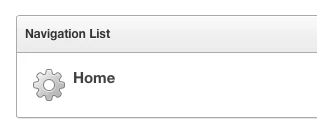
We want to say for every list item which icon we want to use. To do that edit the list template and change in the Template Definition:
to:
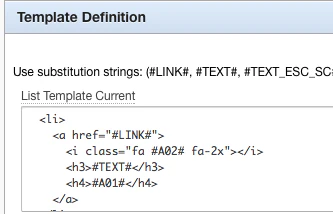
Note: I changed it in both the Current as Noncurrent List Template.
Now we can define the icon we want to use in our List at Attribute 02:
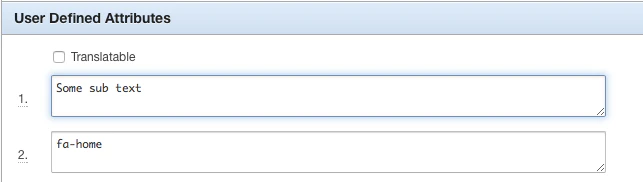
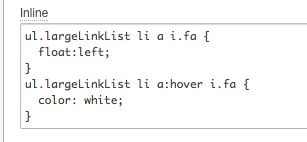
The final step to make the list look nice we need to make the icon float left so it’s next to the text and we make it white when you hover. As we use an icon font we can just change the color with some css (you can add that on your page or in your page template in the Inline CSS position).
This is the result:
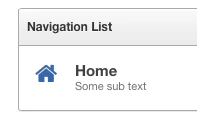
You find the online example at https://www.apexrnd.be/ords/f?p=DGIELIS_BLOG:FONTAWESOME
Originally published on Blogspot.
Comments
No comments yet. Be the first.