Archive · 28 July 2013
Make APEX Plugin source read/write
Written 13 years ago. Oracle APEX has moved on a lot since; check the current Oracle APEX posts too.
I really like the Flot Pie Chart plugin that came with the APEX sample applications (see this blog post in which apps this plugin is used).
But when I wanted to make changes to it, I couldn’t… the PL/SQL Code was read-only.
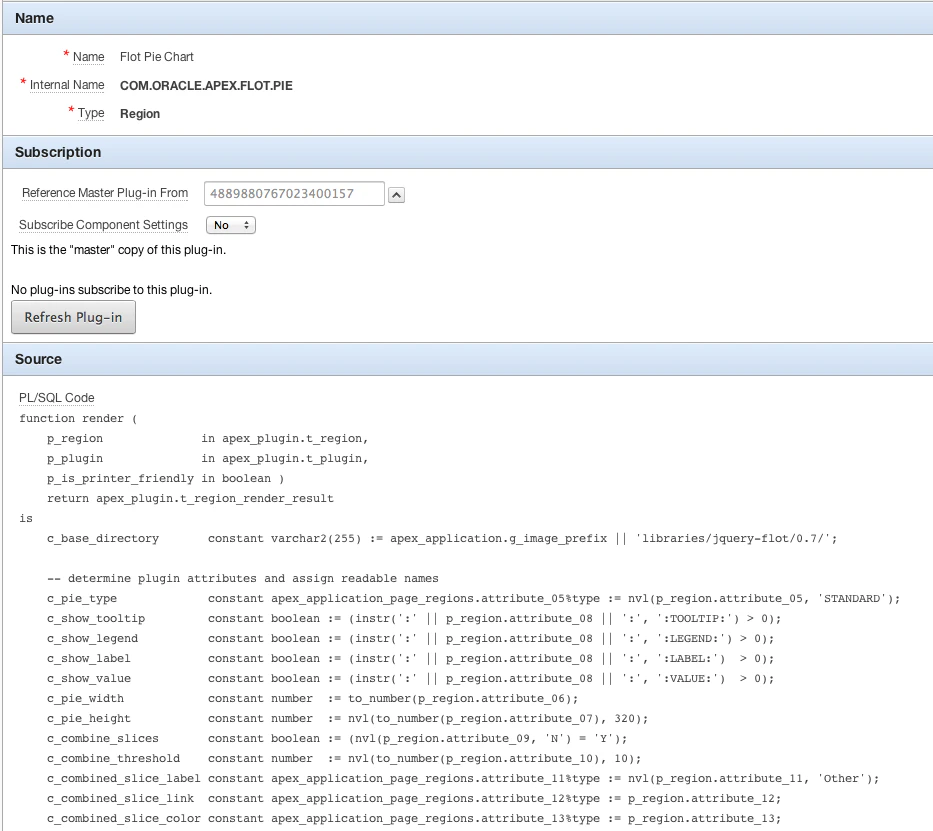
To make the source read/write again you need to delete the reference to the Master Plug-in.
If you export the plugin and open it in your text editor search for “p_reference_id” and set that to null (instead of the number).
wwv_flow_api.create_plugin (
…
,p_reference_id => null
,…
);
In case you wonder why I want to change that plugin; the plugin is great, but there’s a newer version available of the Flot Charts which holds some nice improvements and the current plugin is not mobile compatible and responsive.
Originally published on Blogspot.
Comments
No comments yet. Be the first.