Archive · 30 June 2013
Upgrade Oracle DB 11gR2 with APEX to 12c
Written 13 years ago. Oracle APEX has moved on a lot since; check the current Oracle APEX posts too.
Now that Oracle Database 12c is available I upgraded my VM to try it out. The installation went very smooth and I was up-and-running in no time!
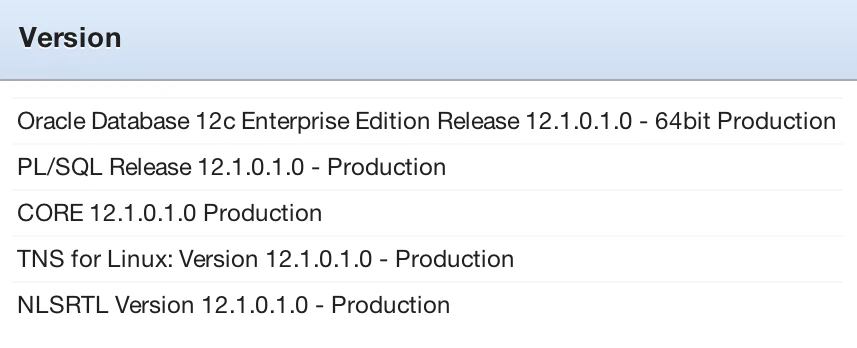
My virtual machine had Oracle 11gR2 installed with the latest patch of APEX 4.2.
Here are the steps I followed:
- downloaded the Oracle Database 12c zip for Linux 64-bit
- unzipped the files
- made sure I had all prerequisites and updated my Oracle Enterprise Linux from the command line with: yum update
- next I wanted to upgrade my current database; from the command line in Linux, went to the unzipped directly and ran: ./runInstaller
- I installed the software in a new directory /u01/app/oracle/product/12.1.0
- Next I followed the wizard to upgrade my current database
With Oracle 12c APEX will be installed automatically, but the upgrade was smart enough to detect I had a more recent version of APEX and it looks like it didn’t touch it. My existing workspaces and applications were functioning just fine after the upgrade.
You find more information in the Oracle Database 12c documentation and the Upgrade Guide.
I wrote another blog post about the new features that will be enabled in APEX when running on Oracle DB 12c. Another recommend read is the full New Features document of the Oracle database.
Originally published on Blogspot.
Comments
No comments yet. Be the first.