Archive · 14 February 2012
Calling EBS Webservices from APEX
Written 14 years ago. Oracle APEX has moved on a lot since; check the current Oracle APEX posts too.
Another way to integrate with E-Business Suite from APEX is through Webservices.
You could setup a complete BPEL and SOA environment or you can do it a bit simpler.
First you start by going to the EBS Integration Repository. I found it useful to view by Interface Type as then I could select XML Gateway Map.
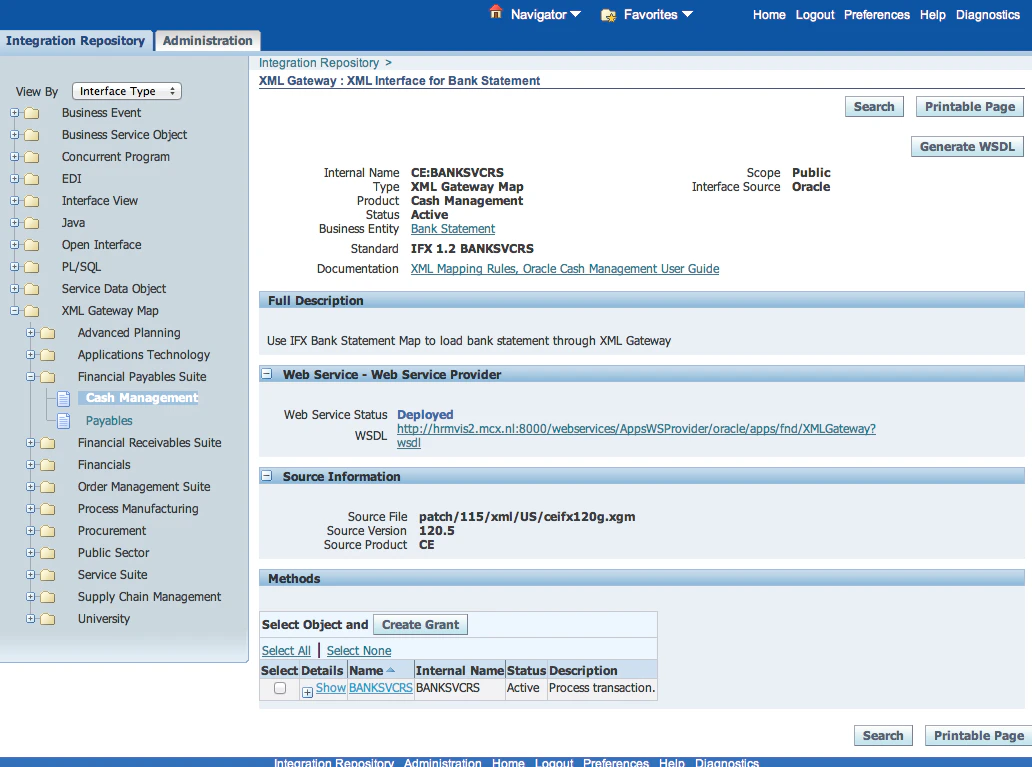
For the different products inside EBS you find the different gateways. Most of them have a WSDL.
I won’t give a complete run through demo as I’m currently working with HR and I didn’t see an XML Gateway for that. Nevertheless I will tell you how I would do it.
In APEX go to Shared Components > Logic > Web Service References.
Create a new Webservice based on a WSDL (the one you selected from the EBS Integration Repository)
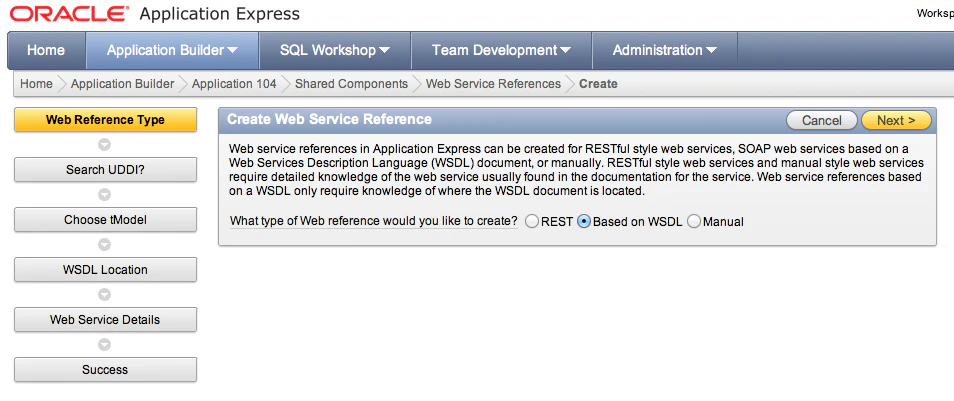
And follow the wizard from there. You don’t need to search the UDDI, you can just copy the WSDL location. Once the wizard is finished I tend to create a new page (form and report) based on this Webservice so I don’t need to create the possible parameters/items manually etc.
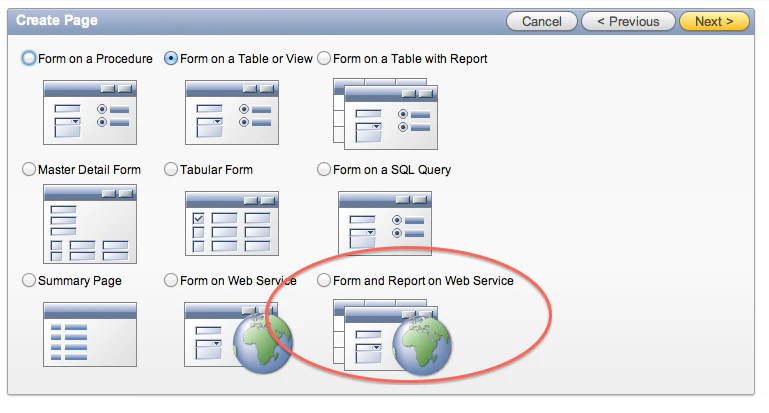
Finally I customise the page to fit my needs. That should be it… (in theory)
Originally published on Blogspot.
Comments
No comments yet. Be the first.