Archive · 20 December 2009
APEX 4.0: Tree View vs Component View
Written 17 years ago. Oracle APEX has moved on a lot since; check the current Oracle APEX posts too.
The Application Builder and more in particular the Page View has two modes in APEX 4.0.
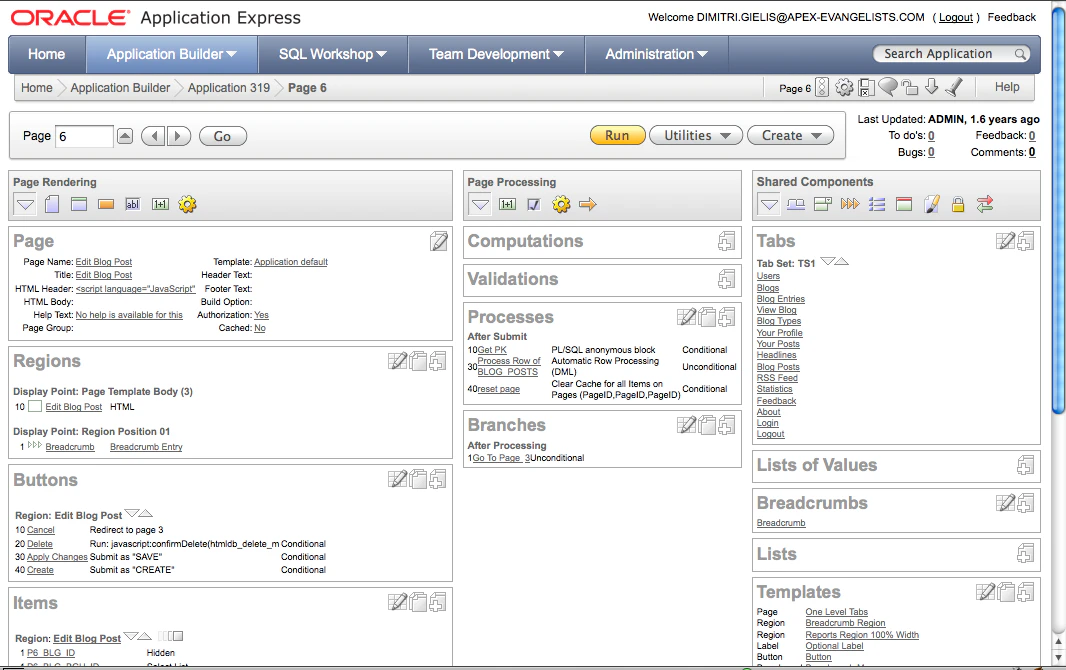
You can view your page as you know from earlier APEX releases, the Component View:
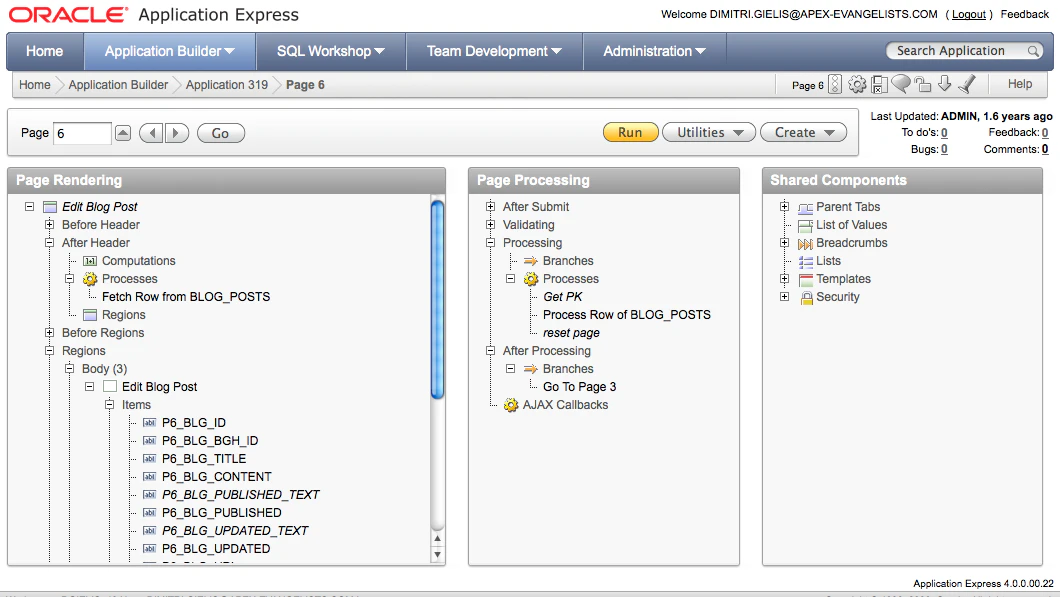
Or from APEX 4.0 onwards you have the possibility to view your page in a Tree View:
This is my view on it;
- With the component view you to see everything on the page at once. You can just click on a link and it brings you to where you need to be. But you might have to scroll and especially for big pages with lot of conditions and different branches it might be harder to follow the logic.
The component view also works on your mobile device (nice if you have to do a quick update through your mobile phone).
- The tree view is a new view on an APEX page. It’s structured more logic (a bit like the events view in APEX 3.x). It’s also more condensed, it give you a ton of extra possibilities and ways to develop faster. E.g. if you want to put one item before another, you can just drag-drop.
By hovering items you get extra information (e.g. conditions), you can right click on the items of the tree and depending what you clicked you get the possibilities of that item. Double clicking on an item brings you to the details.
The more I use the tree the more I like it and I’m starting to become a huge fan of it. The only two drawbacks I see is that when I don’t have a mouse with me, it’s harder to develop (e.g. on my Mac I need to click the CTRL button to mimic a right click), the other drawback is that it won’t work on a mobile device.
Conclusion
My first choice will probably become the tree view. I think in this view of the page you will make less “mistakes” and develop higher quality pages, just because of the structure. You’ll also develop faster, which is a big thing for me.
But I do think the APEX Dev team should keep the Component View as well, as occasionally I probably want to go back there (develop mobile or if I don’t have a mouse).
Originally published on Blogspot.
Comments
No comments yet. Be the first.