Archive · 3 July 2009
SQL Modeler for Mac OSX (Part 2)
Written 17 years ago. Oracle APEX has moved on a lot since; check the current Oracle APEX posts too.
Louis-Guillaume Carrier-Bédard commented on my previous post about SQL Modeler for Mac OSX, that I had to check out a tool called Power*Architect.
So I thought to give it a go. The steps to get it running:
- Go to the SQL Power website and download Power*Architect
- As most OSX applications you install by dragging the application in your Applications folder
- So now I wanted to get an ERD of some tables, so you run Power*Architect and select from which Data Source you want to capture.
- I had to download the Oracle 10g JDBC driver first (apparently 11g is not yet foreseen in Power*Architect)
- In the User Preferences you can tell where the driver can be found
- Next I dragged-dropped from the interface the tables I wanted to the right hand side, but the tables where not nicely ordered
- Luckily there is a button “Automatic Layout” which I pushed and that gave me the below result
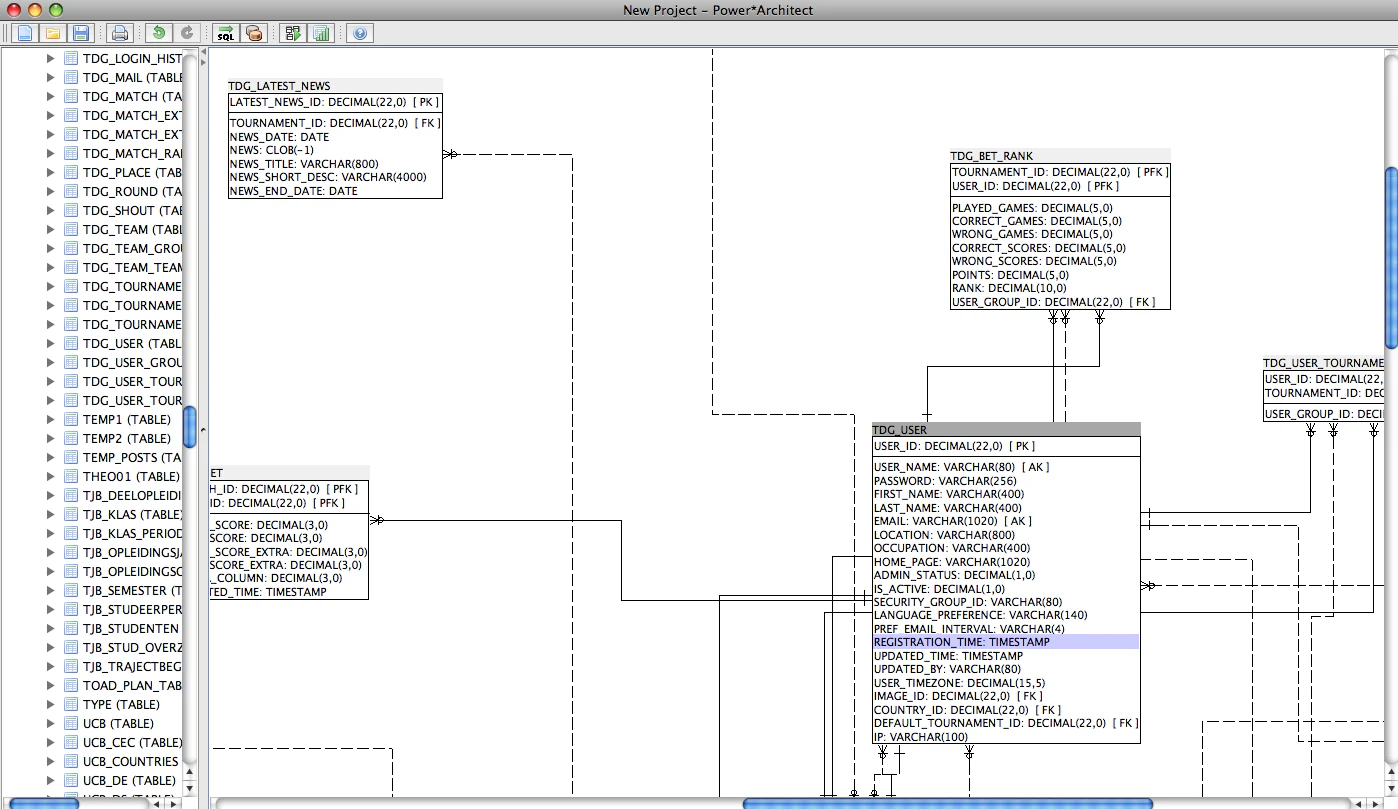
As far as I’ve tested Power*Architect, it looks very promising. It’s definitely a tool I will try a bit more in the future.
Originally published on Blogspot.
Comments
No comments yet. Be the first.