Archive · 18 July 2008
Show Blob of other table in APEX Form
Written 18 years ago. Oracle APEX has moved on a lot since; check the current Oracle APEX posts too.
A few weeks ago I got a mail with this question:
--
I read your answer in the forum on a problem regarding : display BLOB in Apex.
My question is if it is possible (and HOW) to display an image on a form page based on table A but the image is in table B (and table A contains the values to read the blob(s) from table B).
I guess I have to add an (file browse) item in the form but what’s next ??
--
It’s not that difficult to get around this problem with the standard functionality in APEX 3.0 and up, if we use the BLOB support that the APEX team developed for us.
Our test case:
* Database level
CREATE TABLE ex_A(id NUMBER(6) ,name VARCHAR2(50),picture_label VARCHAR2(30),picture_id NUMBER ,CONSTRAINT EX_A_PK PRIMARY KEY (ID));CREATE TABLE ex_B(picture_id NUMBER ,picture BLOB ,picture_filename VARCHAR2(100),picture_mimetype VARCHAR2(100),CONSTRAINT EX_B_PK PRIMARY KEY (PICTURE_ID));* APEX level
Create a new application with a Form based on table ex_A and a Form based on table ex_B by following the wizard.
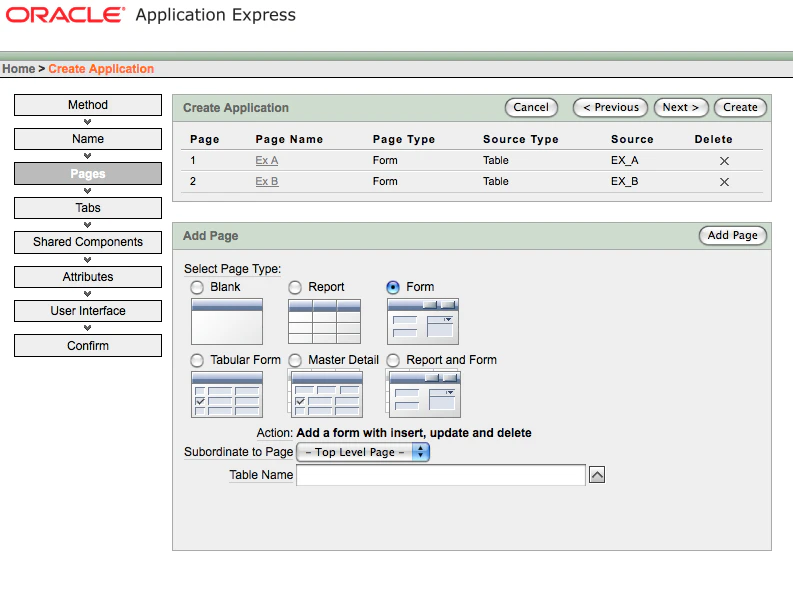
We adapt Page 2 - Form based on table ex_B - and change the item P2_PICTURE to
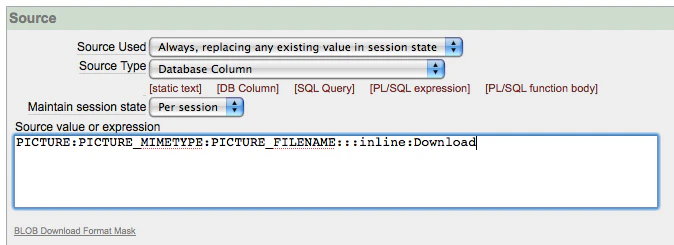
(On Page 2 and Page 1 I also made the Hidden and Protected item - the pk - visible as I don’t have a trigger to populate it, so I just give a unique id in myself.)
So now the answer to the question… How do you display the blob from ex_B table on the form that is based on table ex_A?
Add a new item: Display as Text (does not save state) and in the Source (PL/SQL Function Body) you specify:
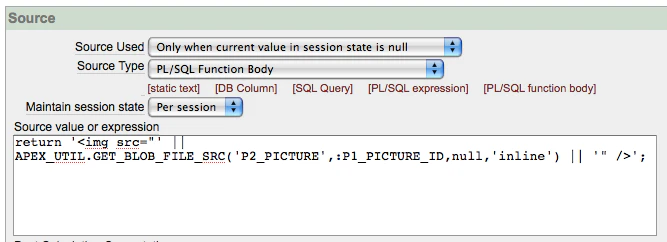
As you can see we use the APEX_UTIL.GET_BLOB_FILE_SRC function. It will look at page 2 for the format of the blob and will pass the picture_id to it.
If you upload a file on Page 2 and after wards in Page 1 you reference the picture_id, it should get displayed.
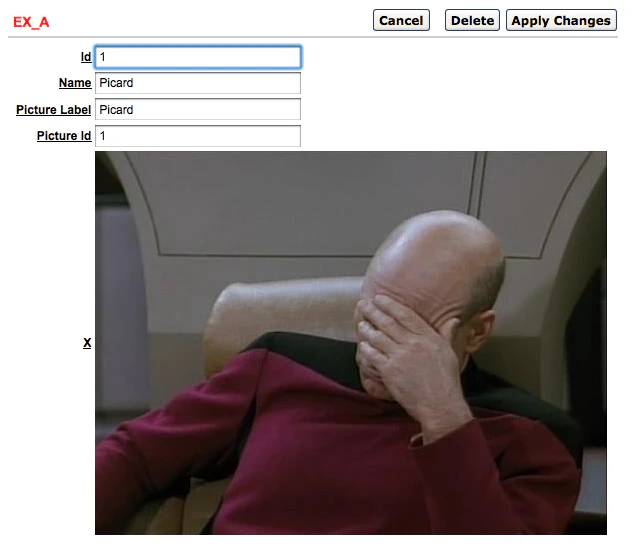
You can try to upload a picture yourself here. Click first the Ex_B tab and upload a picture, next go to Ex_A tab and create a reference and add the same id as for the one you used for the picture.
The export of the application can be found here (save as blob_support.sql).
Hope that answer the question.
Originally published on Blogspot.
Comments
No comments yet. Be the first.