Archive · 22 June 2008
Specify the same width of a column chart in APEX
Written 18 years ago. Oracle APEX has moved on a lot since; check the current Oracle APEX posts too.
During my presentation of “Advanced Charting in APEX” during ODTUG I got a question how to specify always the same width of a column chart in APEX.
I had a look into this, but couldn’t find an easy way to do it in Anychart 3 (the current version in APEX).
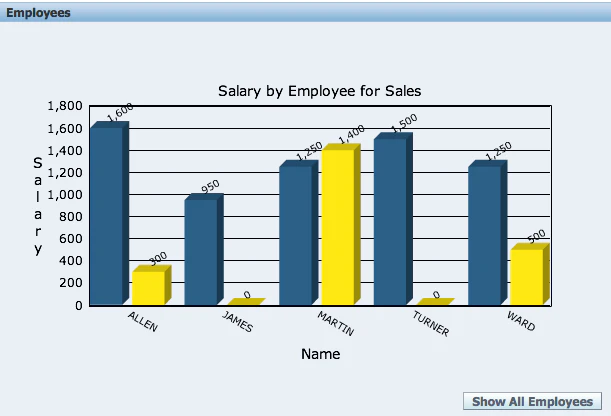
If you look at the Anychart 3 documentation then you’ll find this section:
There’s not really a width you can specify for every bar. Like I said during the presentation, it would be extremely difficult to do that for Anychart, as it doesn’t know how many data it will need to show. The only option I see at the moment is to dynamically set the column_space and block_space, depending on the number of values you have. Like I gave in my example the dynamic scaling (maximum of the chart); you create an hidden item and give it a value. You use the hidden item in your Custom XML to define the left_space, right_space, column_space and block_space.
If somebody else already did it another way, feel free to add a comment.
Originally published on Blogspot.
Comments
No comments yet. Be the first.