Archive · 17 June 2008
Preview Oracle (APEX) Websheets - the next coolest thing
Written 18 years ago. Oracle APEX has moved on a lot since; check the current Oracle APEX posts too.

As I blogged yesterday, Mike Hichwa gave an insight in the future of Oracle Application Express. One of the things he showed were Oracle Websheets, the coolest thing I’ve ever seen and the next killer feature of APEX!
You can see Oracle Websheets as “Rocket APEX” or “RAD Extreme”.
Websheets allow you to create a working application in no time. So it allows you to create applications in a very user friendly way. People can upload spreadsheets, extend it on the fly (even the underlaying data model for ex. adding a column), get web 2.0 features out of the box etc. So it makes APEX even more useful for “non-programmers” and it takes the declarative approach to the next level!
But that’s not all, we APEX developers can also benefit from this nice piece of code as we would be able to reuse all the building blocks of websheets in our own applications or even just include a websheet in our APEX application. The best way to look at Websheets are Interactive Reports combines with tabular forms which you can edit, but with a side node it’s completely web 2.0 and you’ve so much more features we have ever dreamed of.
Of course I could write a lot more about it, but screen shots are so much more fun!
So let’s start…
First a disclaimer that Oracle has in it’s presentations…
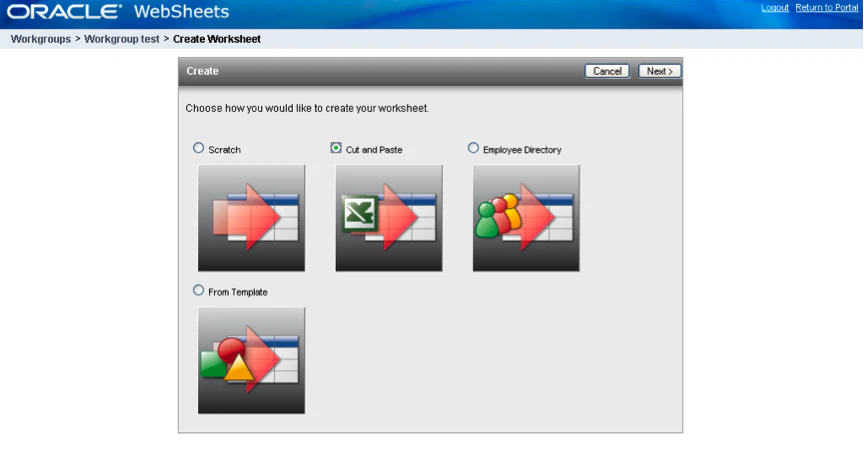
1. After you login in Websheets, you’ll see a screen to create a websheet.
Just as in APEX you have different starting points. In this case we’ll do the famous Excel conversion to something you have never seen before ;-)
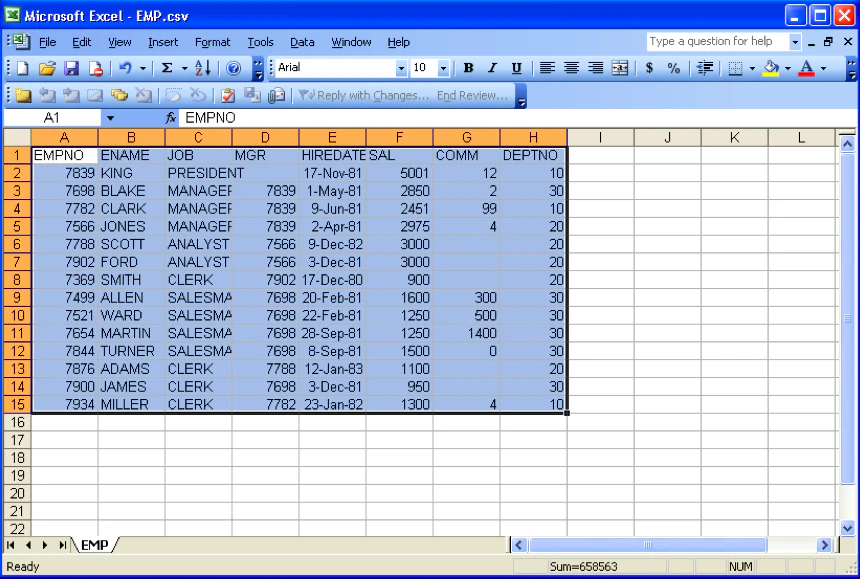
2. We go to Excel where we have some data and copy all that
3. The wizards is really nice, after you copied it in the text box, you hit the submit button and bamm, there you go, your Oracle Websheets!
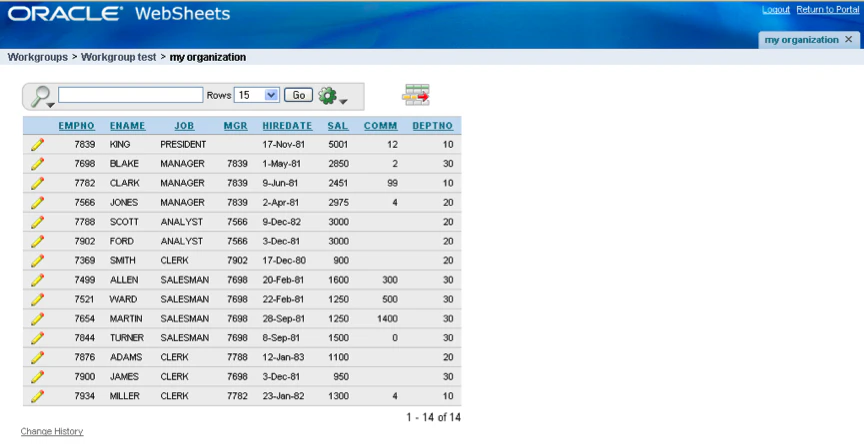
4. It looks like an Interactive Report in APEX, right? It’s partially that, but I would like to see it as an “Interactive Report on Steroids”!
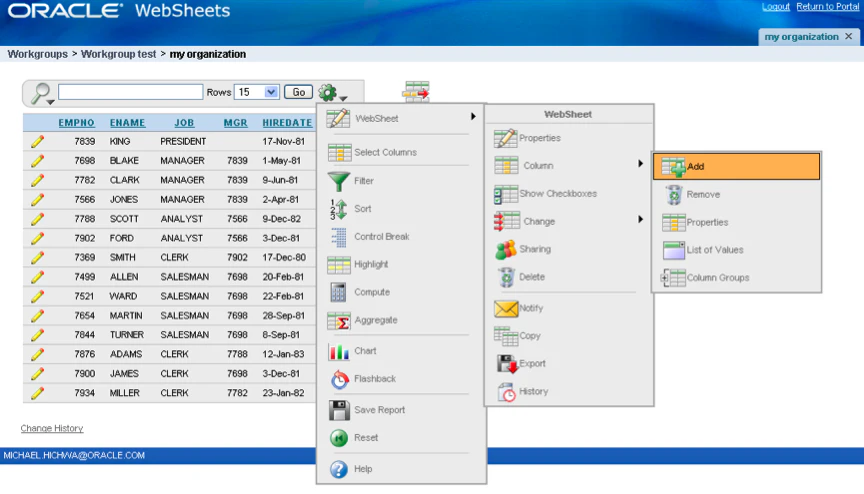
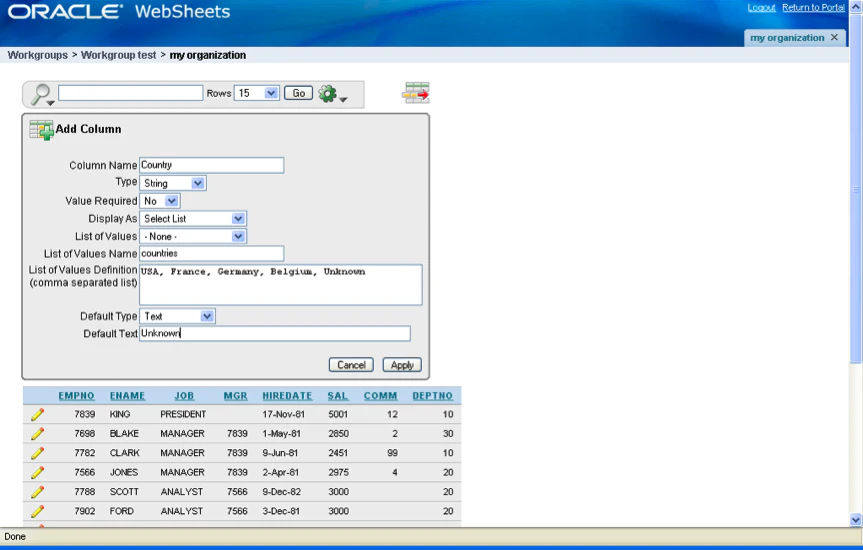
5. If you look at the “Wheel of Magic” you get so much more options than with Interactive Reports: add and remove columns, create LOVs, send notification mails, see the history of a record and much more. The below screenshot is to add a column Country, which exists out of a list of values.
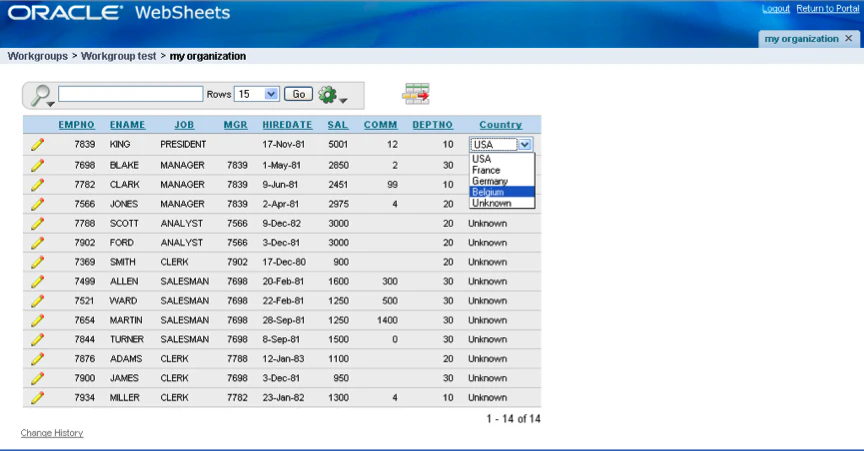
7. The result looks like this, an additional column which you can change directly by selecting another value from the lov.
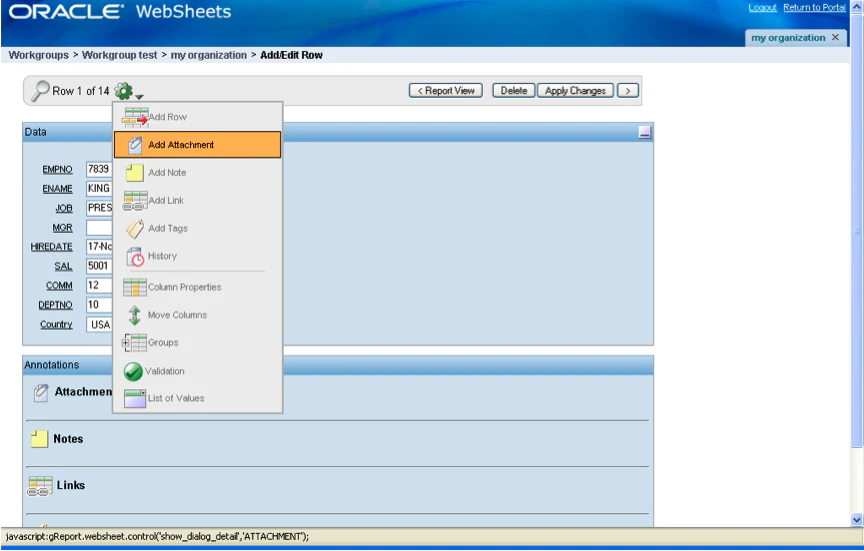
8. If you click on the edit link you can do a lot more: adding attachments, notes, links and tags.
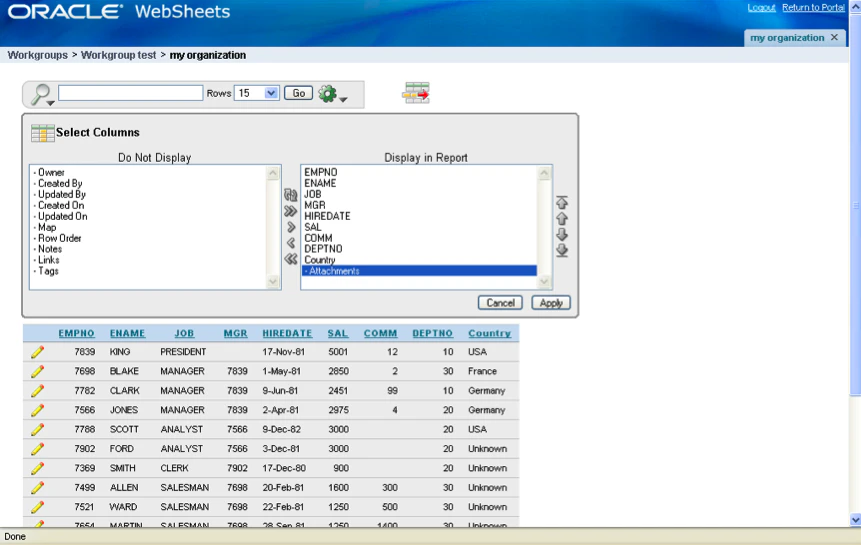
9. Just like in Interactive Reports you can change the display of the columns on the fly
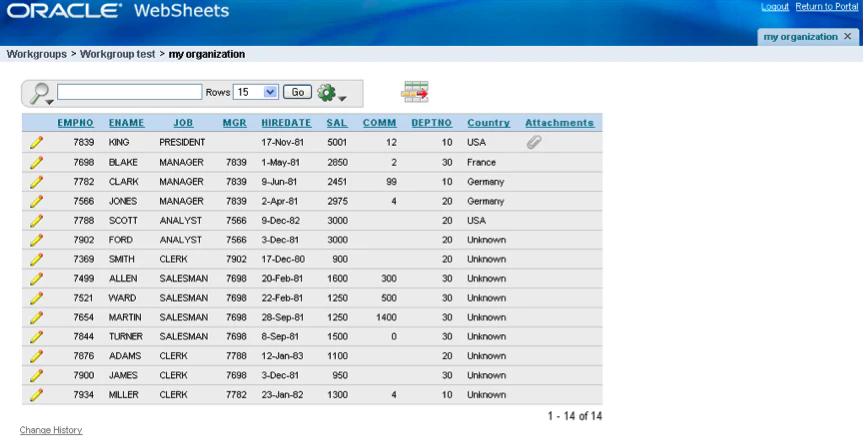
10. The result in the next screen. The Attachments column is included and you see that for a specific record there’s an attachment.
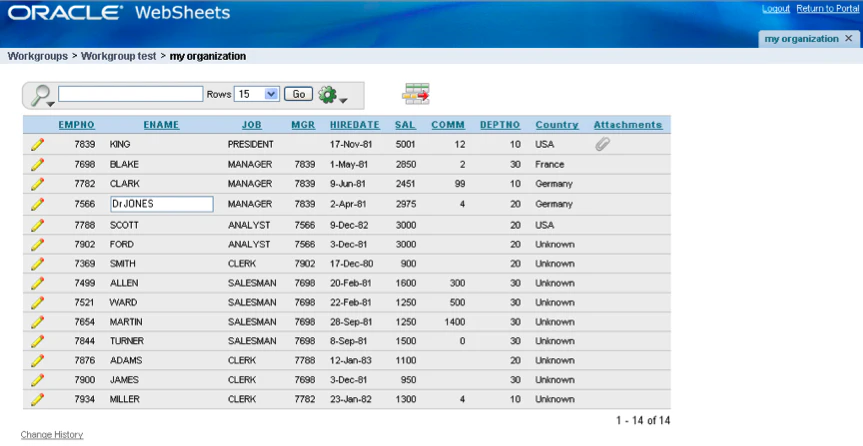
11. And to keep the best for last… editing an Interactive Report, just like a tabular form!
So what do you think about that? … I just love it!
Originally published on Blogspot.
Comments
No comments yet. Be the first.