Archive · 8 June 2007
Testing Oracle BI Publisher with APEX 3.0
Written 19 years ago. Oracle APEX has moved on a lot since; check the current Oracle APEX posts too.
In APEX 3.0 it’s possible to print pdf’s using an externally defined report server.
There’s a good document on OTN to configure this printing feature in Oracle Application Express.
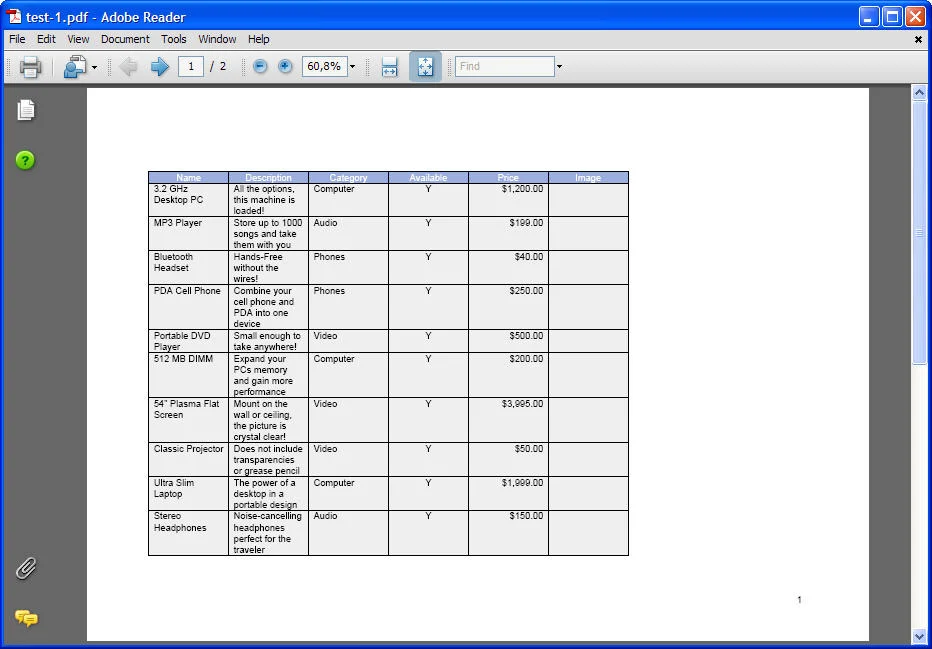
Below the steps I did with some screenshot and an example of the first PDF report I ran through BI Publisher:
-
Pre: I already have an Oracle Database 10.2.0.3 with APEX 3.0 installed
-- BI Publisher part –
-
 Download and install BI Publisher 10.1.3.2.1
 -
Installation of BI Publisher was amazingly simple! After 6 minutes the Basic installation (on Windows XP - btw unsupported!) was done and my server was up-and-running.
-
Testing the installation by going to the url OUI specified at the end of the installation. On my laptop that’s: http://digixp:9704/xmlpserver/
-
Logging in into BIP for the first time with Administrator/Administrator
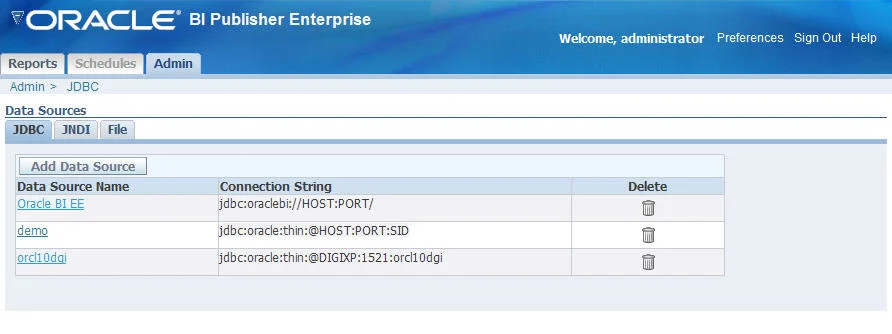
Go to the Admin link - JDBC connection - to add your database (see picture)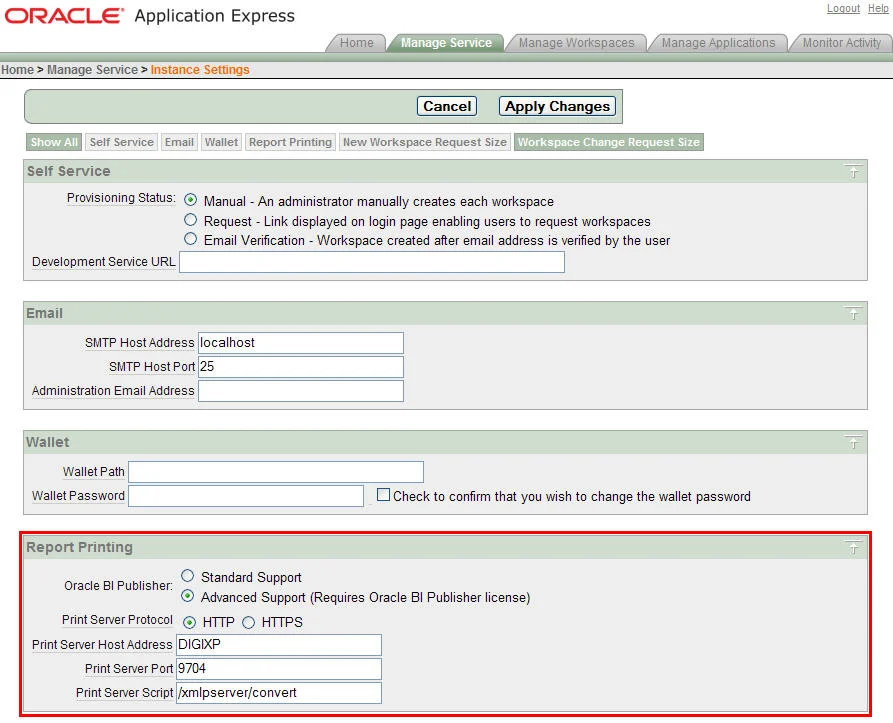 -- APEX part: Configuration –
 -
Login into the INTERNAL workspace
-
Click on Manage Service > Instance Settings > Report Printing
-
Put the details of the BI Publisher reporting server
(see picture) -
That’s about it to configure it in the INTERNAL workspace
-
Logout
-- APEX part: Report –
-
 Login into your development workspace
 -
To create my first report I went to the Sample appication
> Page 3 > Products Report -
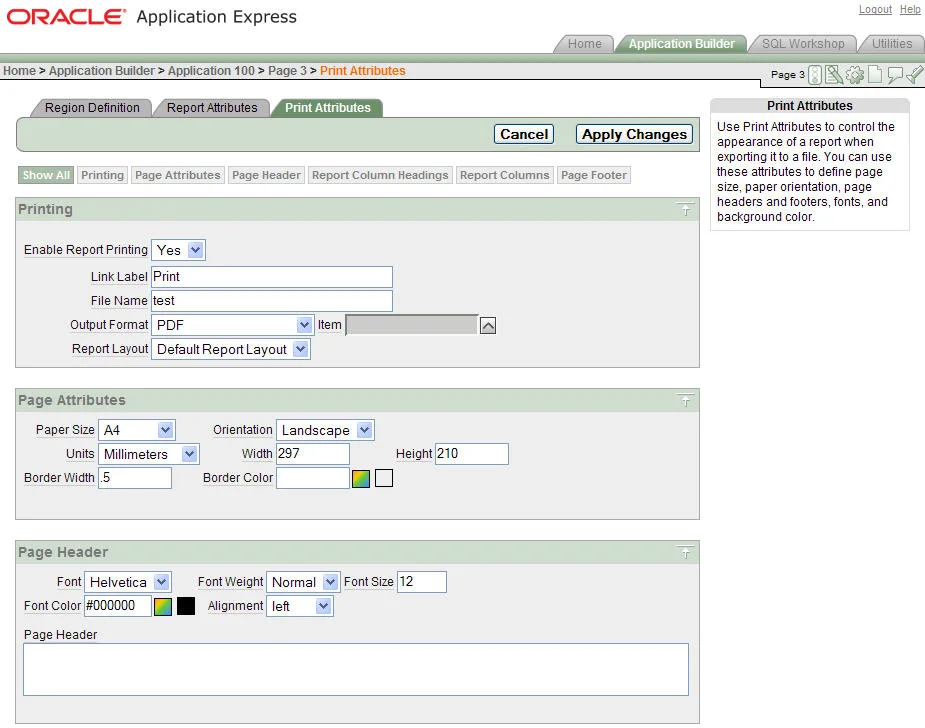
Click on the Report link and go to the tab (from APEX 3.0 onwards): Print Attributes (see picture)
-
In this screen you can configure how your report will look like and make pdf printing possible for that report
-
Minimal you should:
Set Enable Report Printing to Yes and give it a Link name -
The rest of the options are also very useful and necessary to make the report exactly as you want it to look like
-
When running the page you’ll see a Print link somewhere near the report (left picture)
-
Clicking on that link will give you a pdf that looks like your report (right picture)
The report is not yet completely like I would have it to be (for ex. with pictures, nicer scaled, headers and footers), but that will be another post.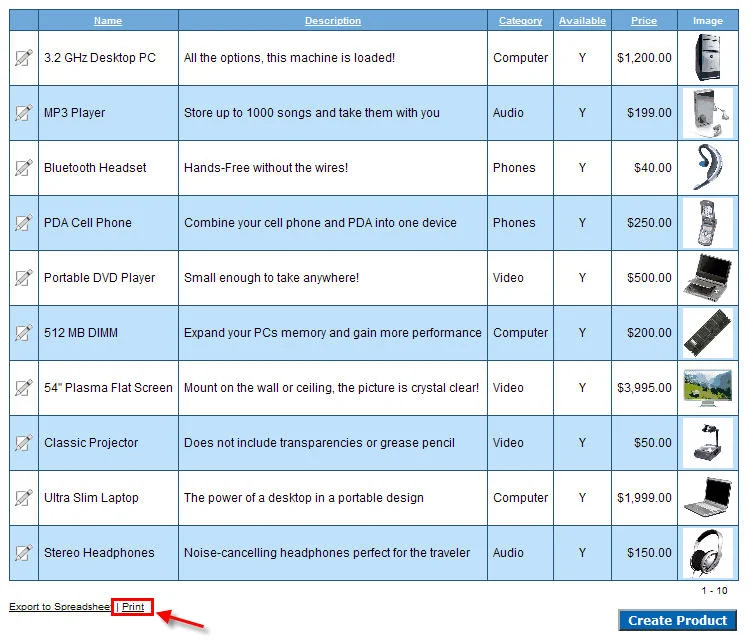
Originally published on Blogspot.
Comments
No comments yet. Be the first.