Archive · 1 March 2007
Session State Protection and URL Tampering in ApEx
Written 19 years ago. Oracle APEX has moved on a lot since; check the current Oracle APEX posts too.
For the third night in a row I’m working on my whitepaper “APEX by Example: Shared Components” for the IOUG Collaborate 07 conference. I need to upload it tomorrow, so no time to loose! Nevertheless I wanted to blog about URL Tampering, which I was investigating when I came to “Session State Protection” in the Shared Components area of ApEx.
For the moment I described it like this in my whitepaper (comments to make it better are welcome):
Session State Protection
Enabling Session State Protection can prevent hackers from tampering with the URLs within your application. URL tampering can adversely affect program logic, session state contents, and information privacy.
In DG Tournament
Why?
For security reasons! URL Tampering - Web based applications, including those developed in Oracle Application Express often pass values from one page to another through a URL. A clever enough user may observe this and override a value by typing his own value in the location field of his browser. For example in DG Tournament, when logged in as Admin, I can see a list of all users. When I click on that user for his details I see the same screen as a normal user would see in the “Your Profile” page. The URL that’s doing that call looks like this:
f?p=103:10:240848379705417::NO::P10_USER_ID:70
My application is 103, on page 10 with session id 240848379705417 (my session has a unique nr) you see at the end: P10_USER_ID:70 which means that my record (Dimitri Gielis) is user_id 70. By putting this in the url, the session knows about this value.
When “Session State Protection” is disabled you can easily see another user by changing the url to
f?p=103:10:240848379705417::NO::P10_USER_ID:71
This will give me the record (user) with user_id 71, without passing through the application I can obtain other information.
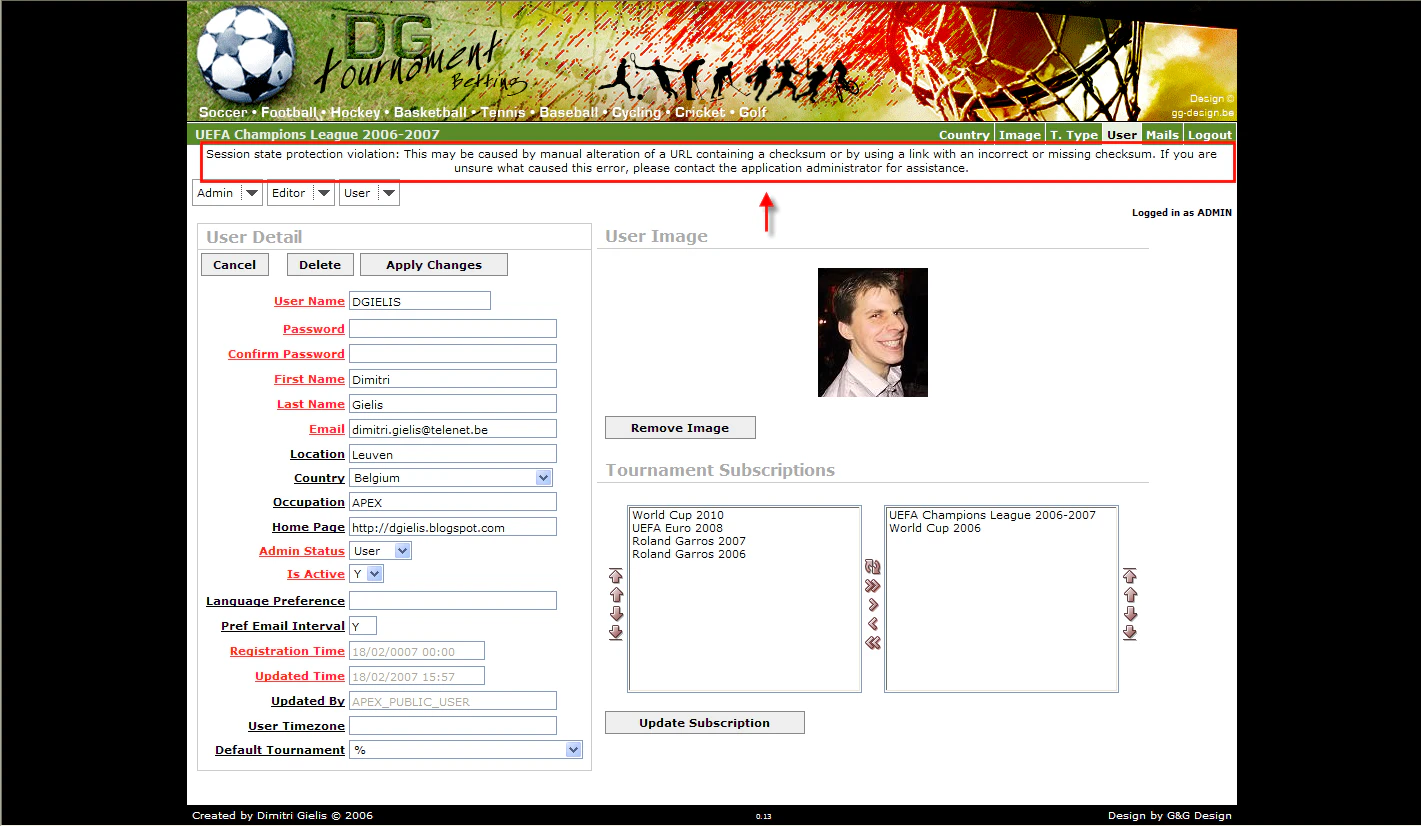
When “Session State Protection” is enabled you get a message like on the above screenshot, which tells you that the session state protection is violated.
How?
- At the moment the Session State Protection is disabled.
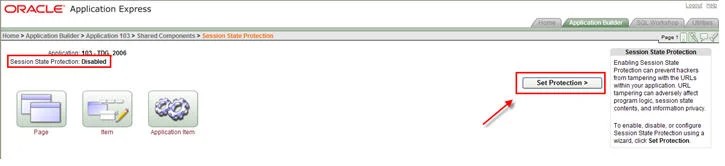
5. To enable, disable, or configure Session State Protection using a wizard, click Set Protection.
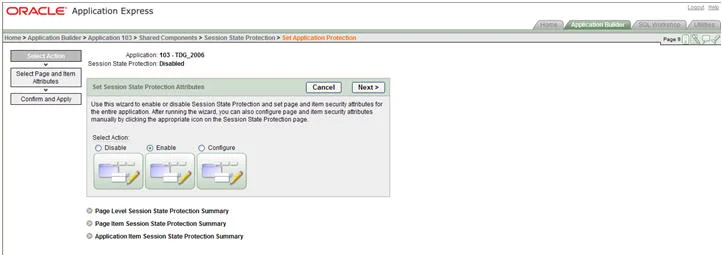
9. Click the Enable Session State Protection button

13. We can see that the Session State Protection is now Enabled
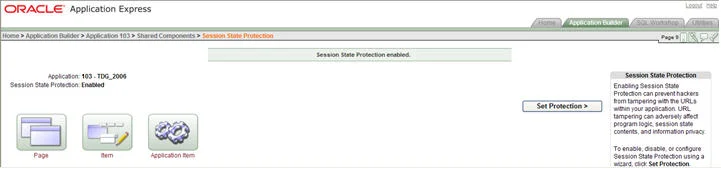
17. By clicking on the Page button you get following screen
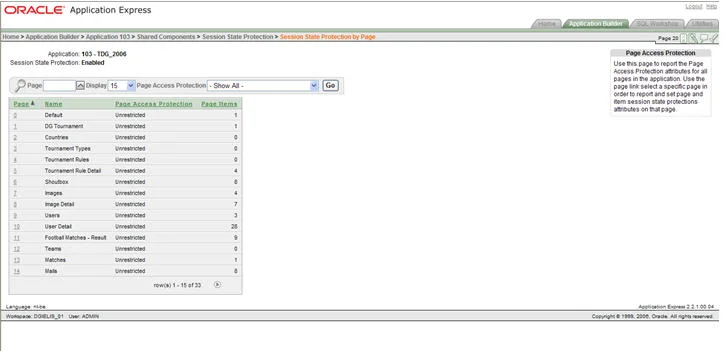
21. Select the page you want to protect, in DG Tournament for ex. User Detail and change the Page Access Protection.You can also go onto Item level to set the protections.
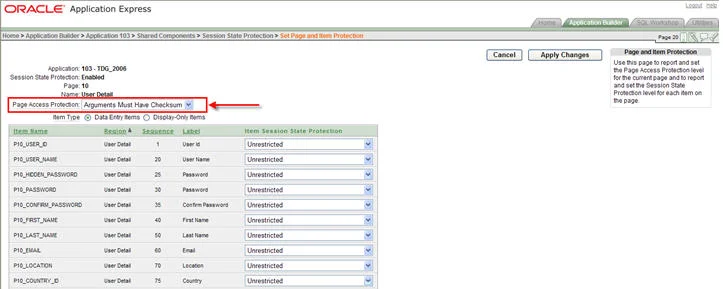
25. That will add to the end of the url a checksum. An example of the previous url, but protected:
f?p=103:10:240848379705417::NO::P10_USER_ID:70**&cs=3831E8EB498FF406064BE08337E72A9DF** When you try to change the user_id from 70 to 71 you get a message that the session state protection is violated.
Originally published on Blogspot.
Comments
No comments yet. Be the first.