Archive · 27 April 2006
Problems with Oracle VMware
Written 20 years ago. Oracle APEX has moved on a lot since; check the current Oracle APEX posts too.
I’ve some performance problems with the Oracle VMware:
- I don’t have enough memory in my laptop (see below picture), you can correct this by changing the memory settings (from 720MB to 640MB)
- I’ve also speedstep technology on my processor, which result in less performance when the (battery) power isn’t full. This can be corrected by setting the below parameters. (see VMware KB)
Following changes I made in C:\Documents and Settings\All Users\Application Data\VMware\VMware Workstation\config.ini :
--
prefvmx.useRecommendedLockedMemSize = “FALSE”
prefvmx.allVMMemoryLimit = “750”
prefvmx.minVmMemPct = “100”
host.cpukHz = 1700000
host.noTSC = TRUE
ptsc.noTSC = TRUE
--
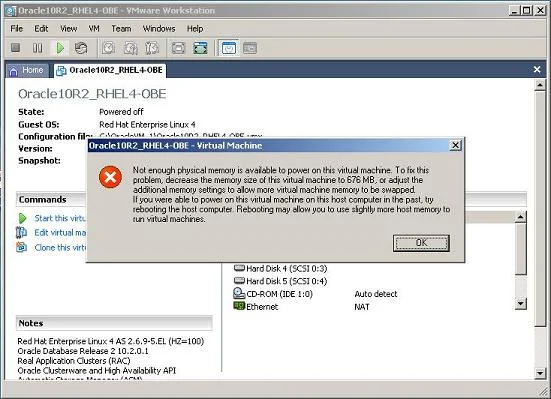
So, I’m waiting for a bit more memory to test again. I hope I will discover the full potential of this Oracle VMware soon.
Originally published on Blogspot.
Comments
No comments yet. Be the first.