ORDS - SQL Developer Web: Fix Invalid credentials

I had a weird issue with some Oracle database users I wanted to connect to in SQL Developer Web.
When I tried to log in at https://hostname/ords/sql-developer, I received the error: Invalid credentials: If your ORDS schema alias is different from your username, you can set it using the "Path" input in the "Advanced" options.
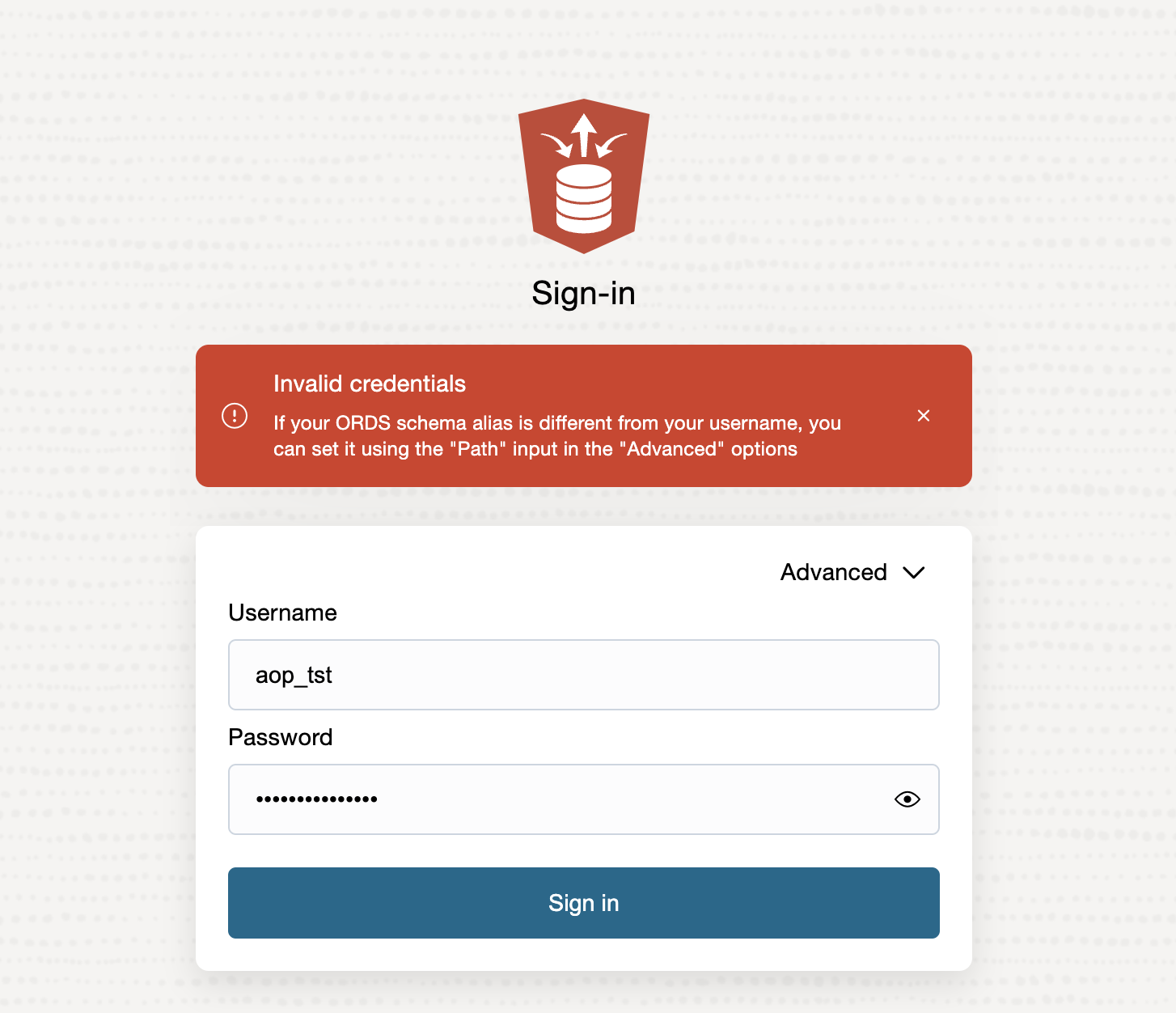
I also tried to log in at https://hostname/ords/aop_tst/sign-in/, but then I got the error: Invalid credentials.
Finally, when I tried to log in at https://hostname/ords/aop_tst/_sdw/?nav=worksheet it worked for me.
In case it's still not working for you, it might help to close and re-open your browser, at least that worked for me.
Once I was successfully logged in, the next time I could log in directly at https://hostname/ords/sql-developer without any issues.
Note that this behavior was only for a couple of users. When I created a user like in the next script, it worked straight away.
create tablespace uc_dev datafile '/u01/oradata/CDB1/dev/uc_dev01.dbf' size 50M autoextend on next 50M maxsize unlimited default table compress for oltp index compress advanced high;

create user uc_dev identified by secret default tablespace uc_dev quota unlimited on uc_dev temporary tablespace temp;

grant connect to uc_dev;
grant create job to uc_dev;
grant create dimension to uc_dev;
grant create indextype to uc_dev;
grant create operator to uc_dev;
grant create type to uc_dev;
grant create materialized view to uc_dev;
grant create trigger to uc_dev;
grant create procedure to uc_dev;
grant create sequence to uc_dev;
grant create view to uc_dev;
grant create synonym to uc_dev;
grant create cluster to uc_dev;
grant create table to uc_dev;
grant create session to uc_dev;
grant execute on ctxsys.ctx_ddl to uc_dev;

begin
  ords_admin.enable_schema(p_schema => 'uc_dev');
end;
/
I couldn't identify a reason why for some database users it's not working straight away, but hope that this workaround helps you too, when you encounter the same error.